Column 1
Step 1
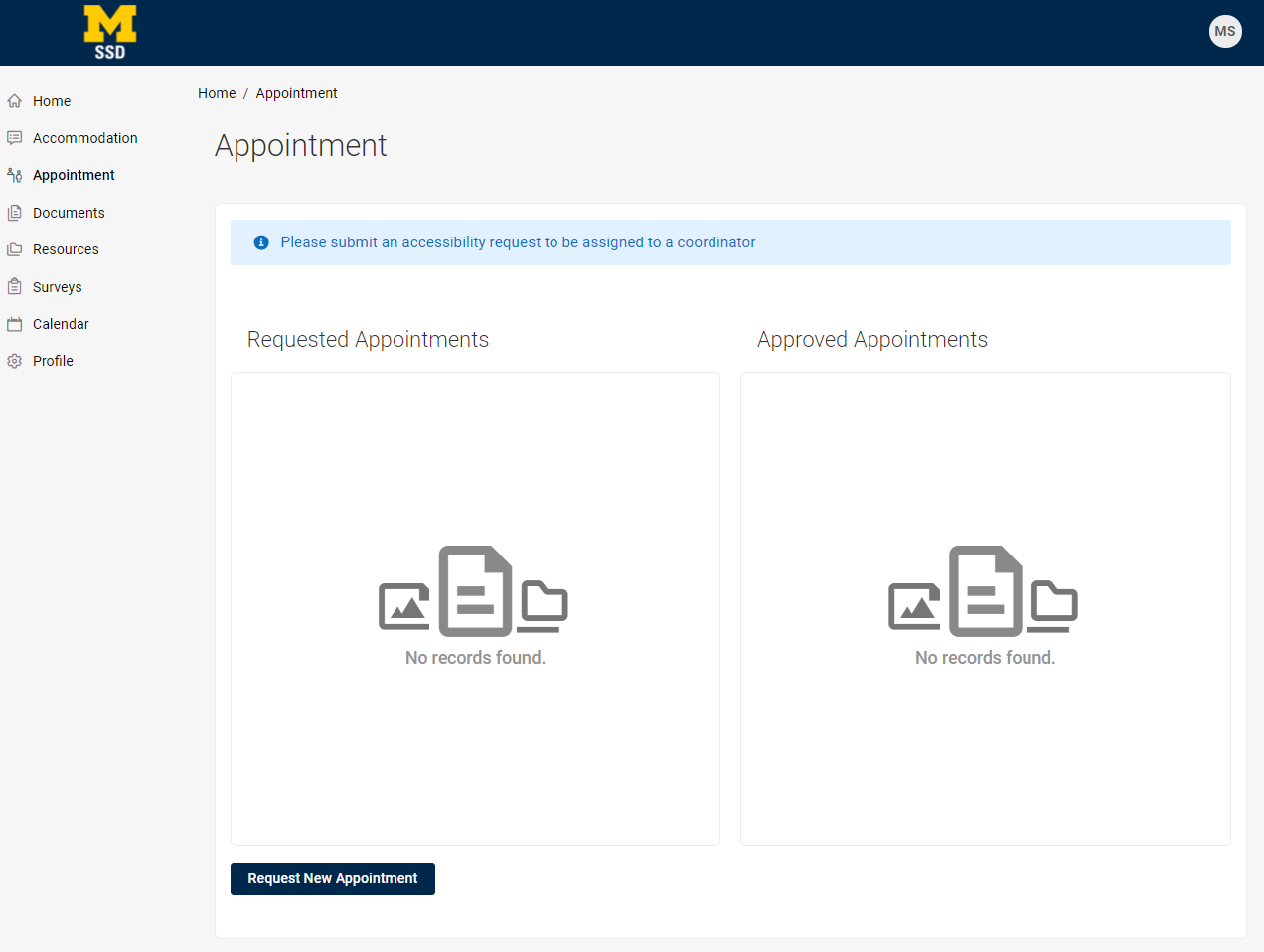
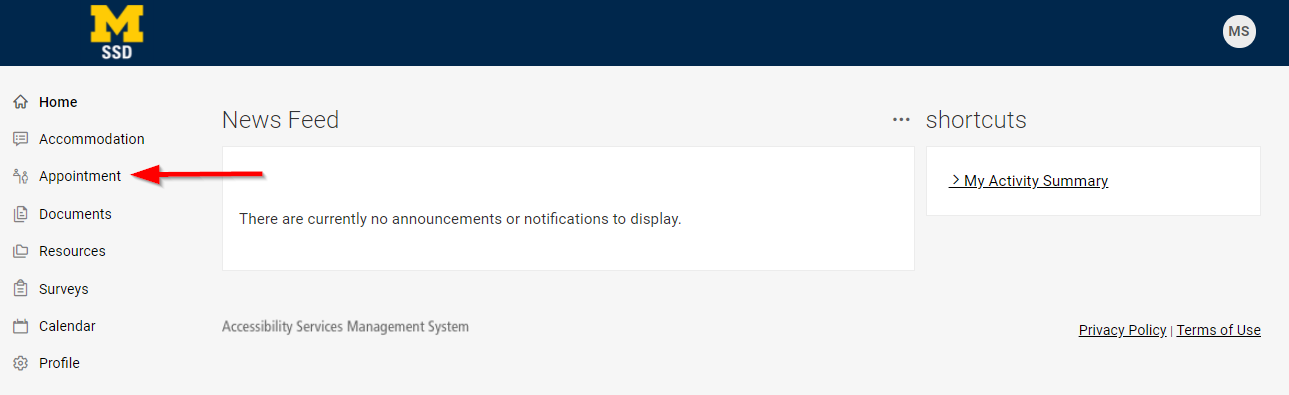
Log into Accommodate. Go to Appointment (Schedule and view).
Step 2
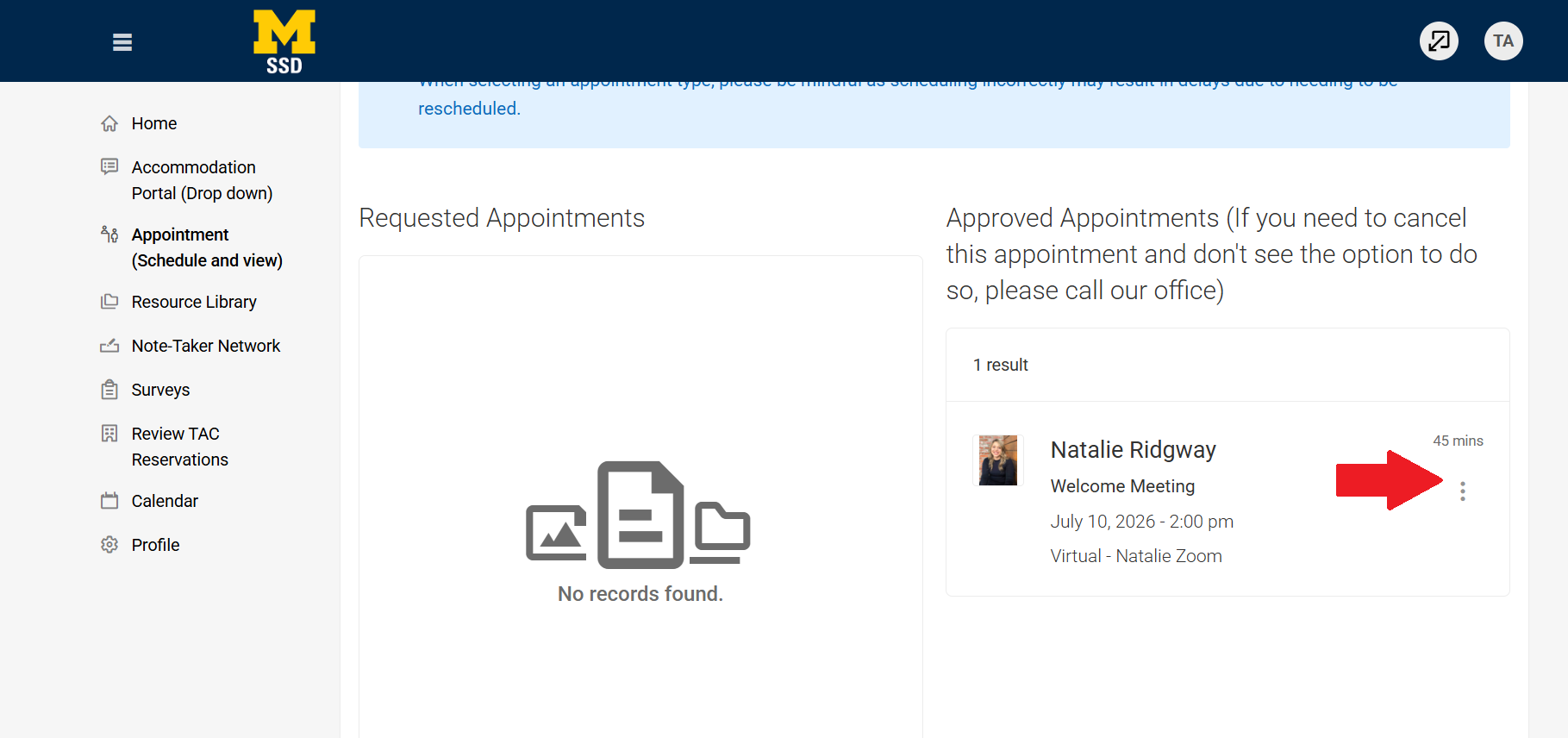
Click on the icon with 3 vertical dots to the right of the appointment.
Step 3
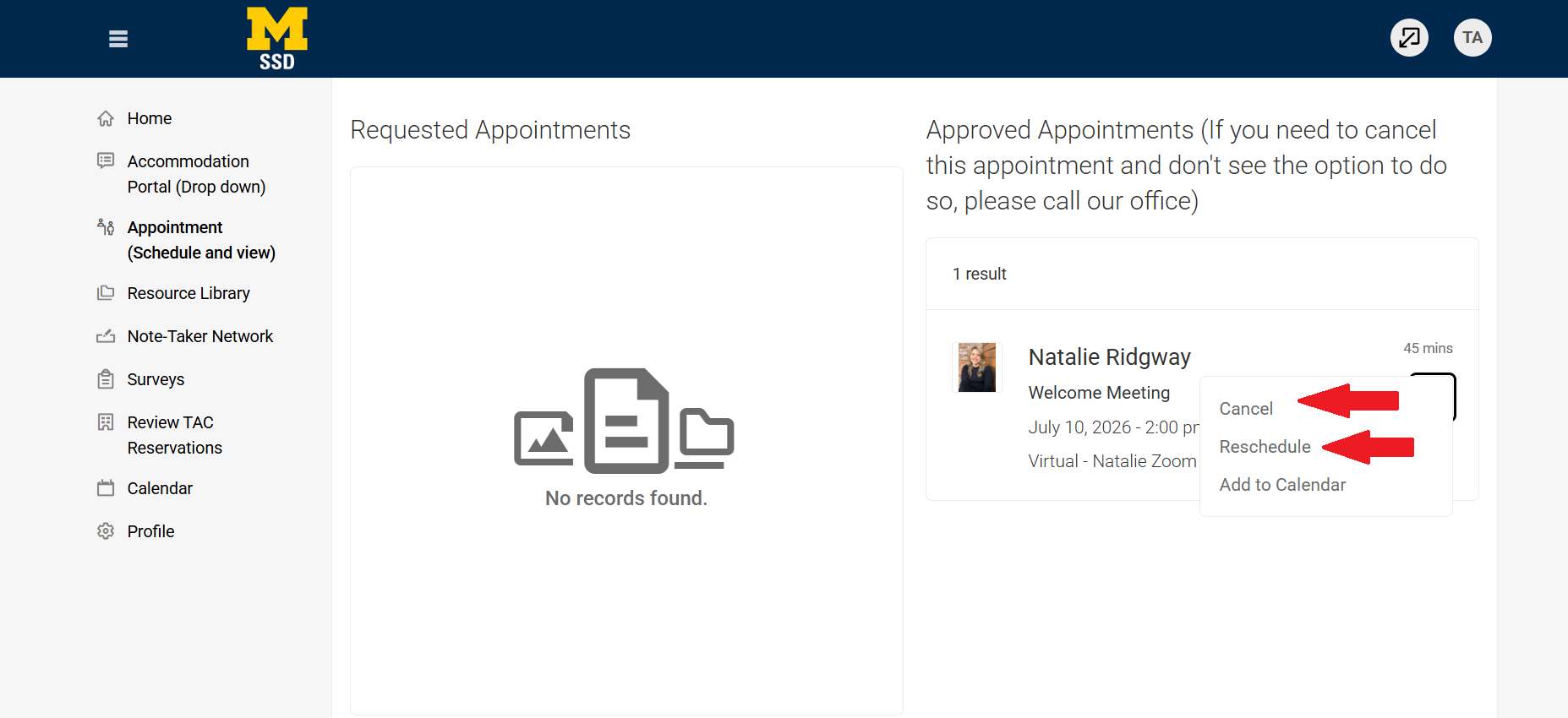
Click on Cancel. (If rescheduling, click Reschedule and choose a new meeting time).
Step 4
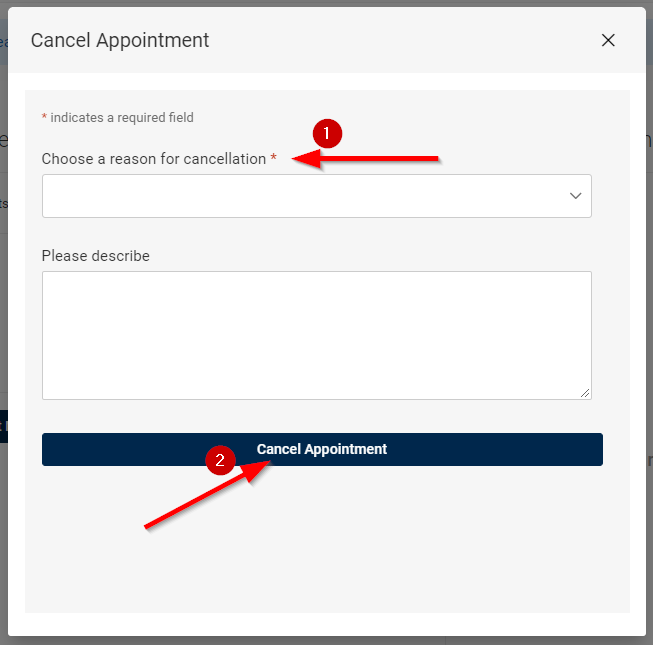
Choose a reason for cancellation from the dropdown.
Step 5
You will then be re-directed to the appointment page and see that the appointment is no longer there.