
Column 1
Before starting:
Please ensure that you have submitted semester requests for any classes you are seeking to upload an alternate format request for. The option in step 1 will not appear until you have submitted semester requests for your courses.
Step 1
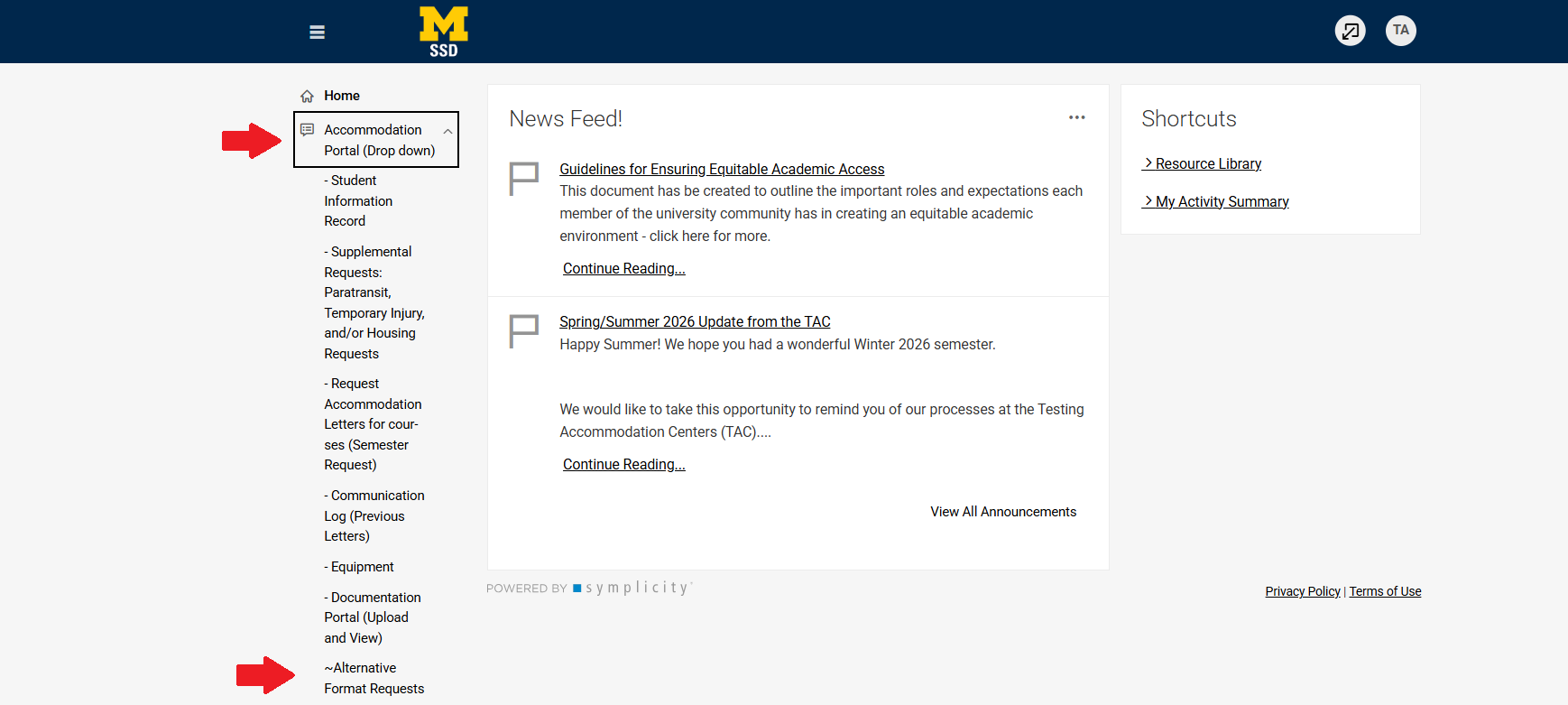
Once you are logged into Accommodate, on your home screen, click the Accommodation Portal (Drop Down) from the main menu on the left side of the screen then click on Alternative Format Requests.
Step 2
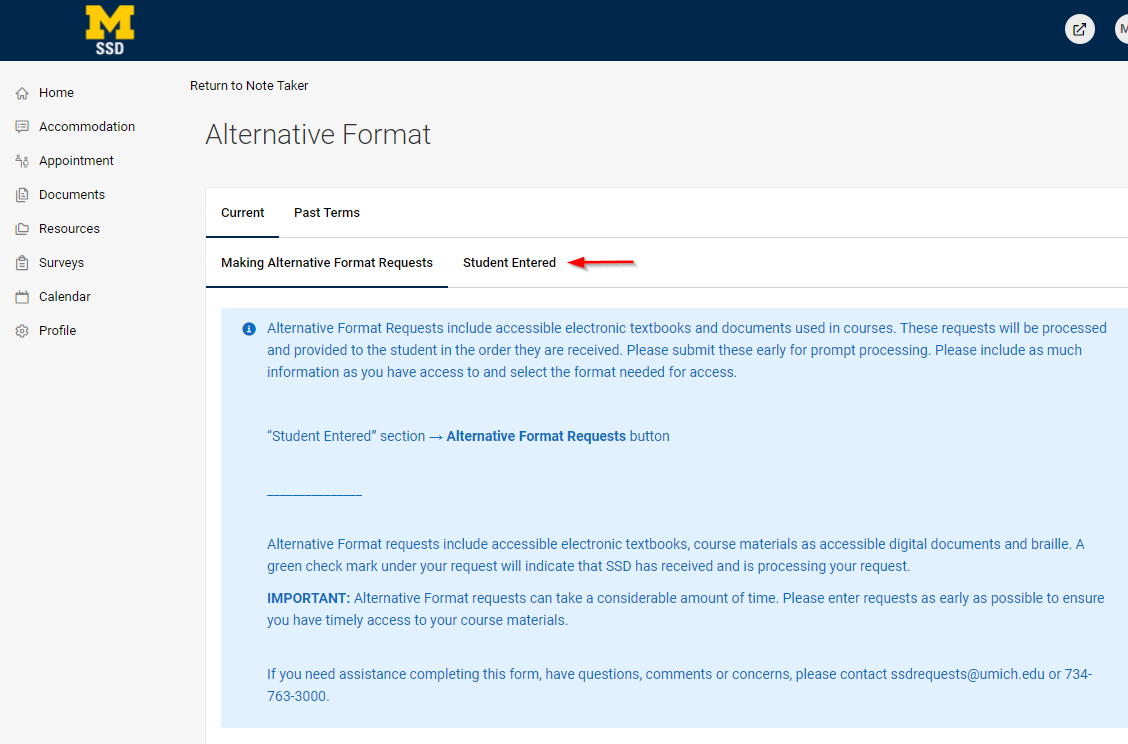
Select Student Entered.
Step 3
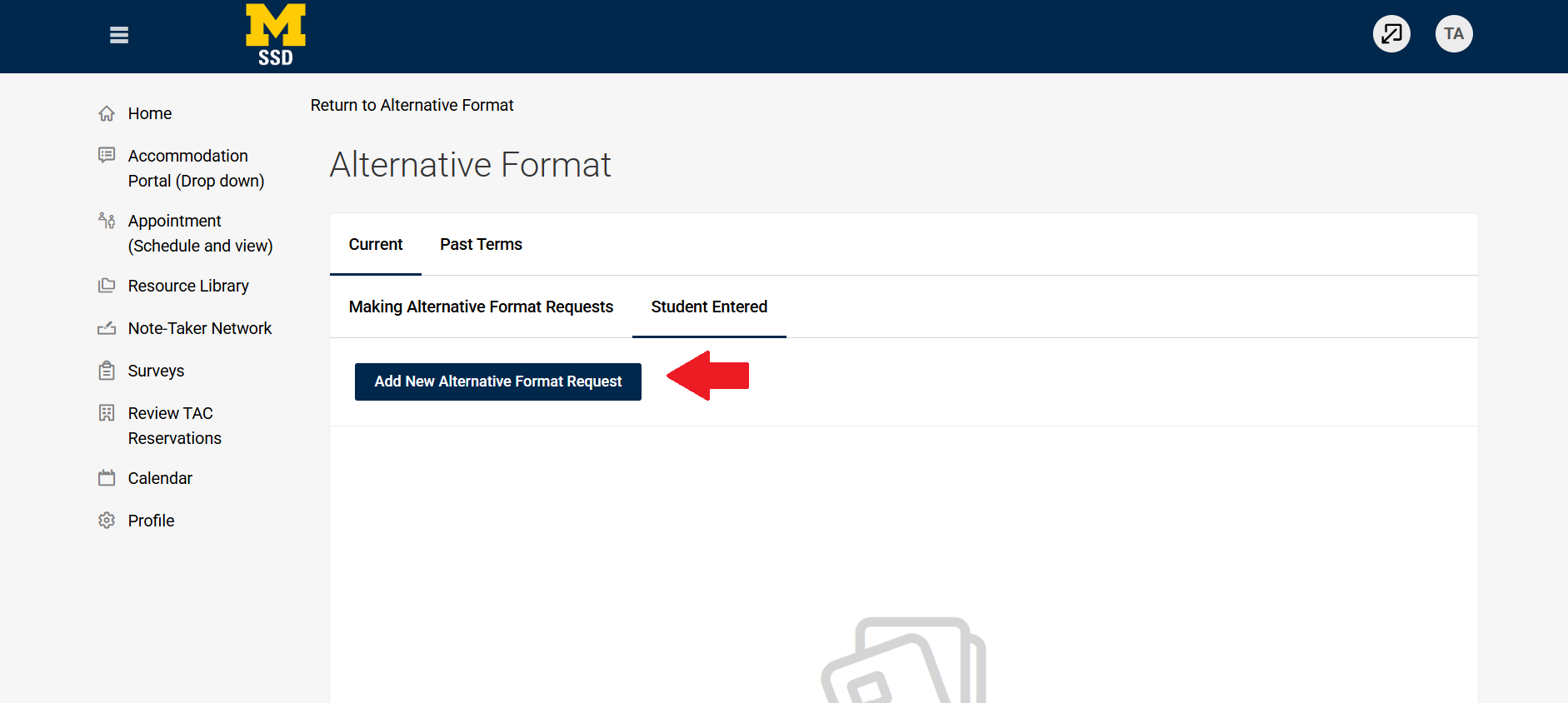
Click on Add New Alternative Format Request.
Step 4
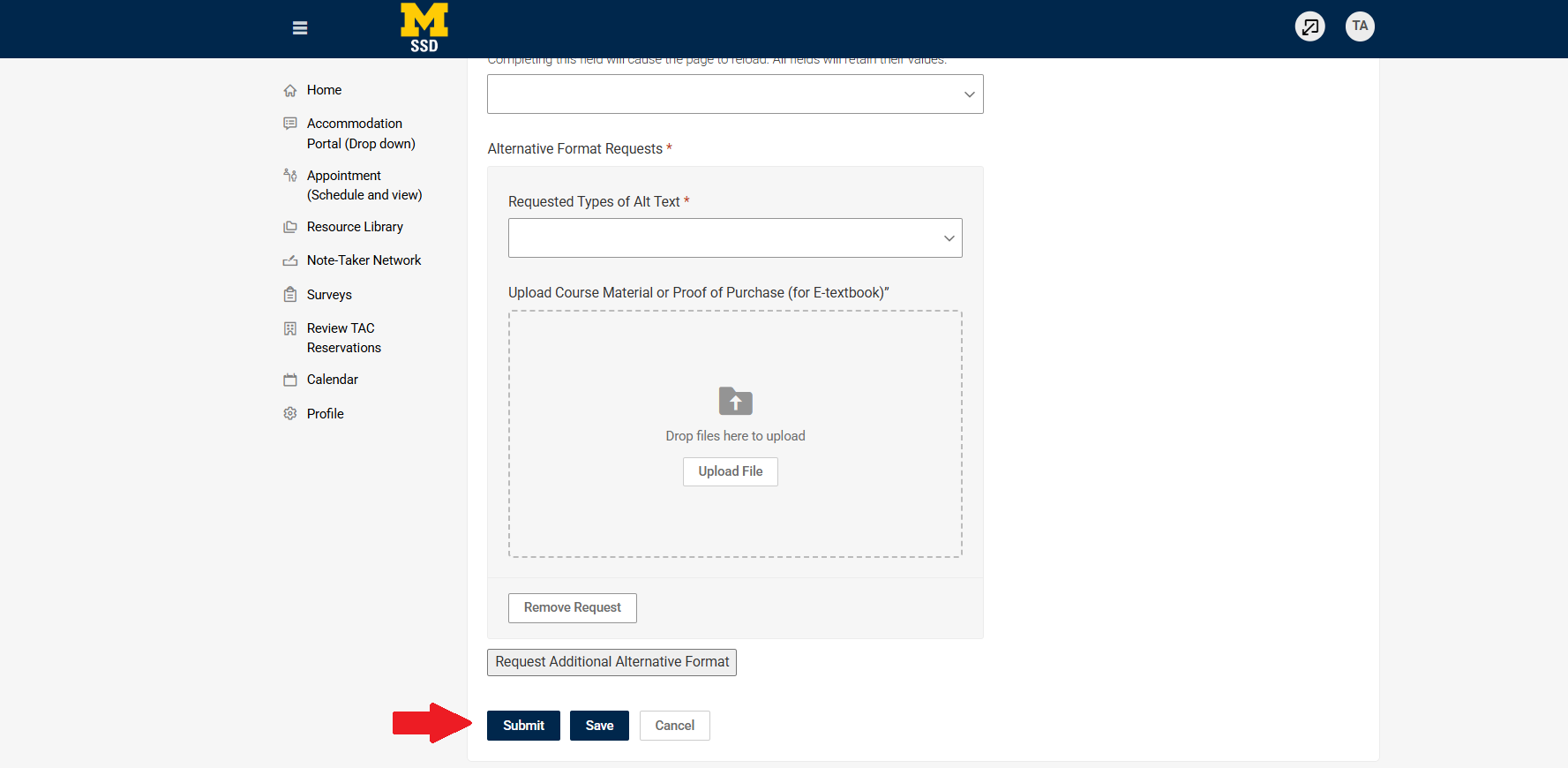
Fill out the form and click Submit.
Step 5
Once your request has been completed, you will receive a follow-up email with instructions on how to access your materials.