
Column 1
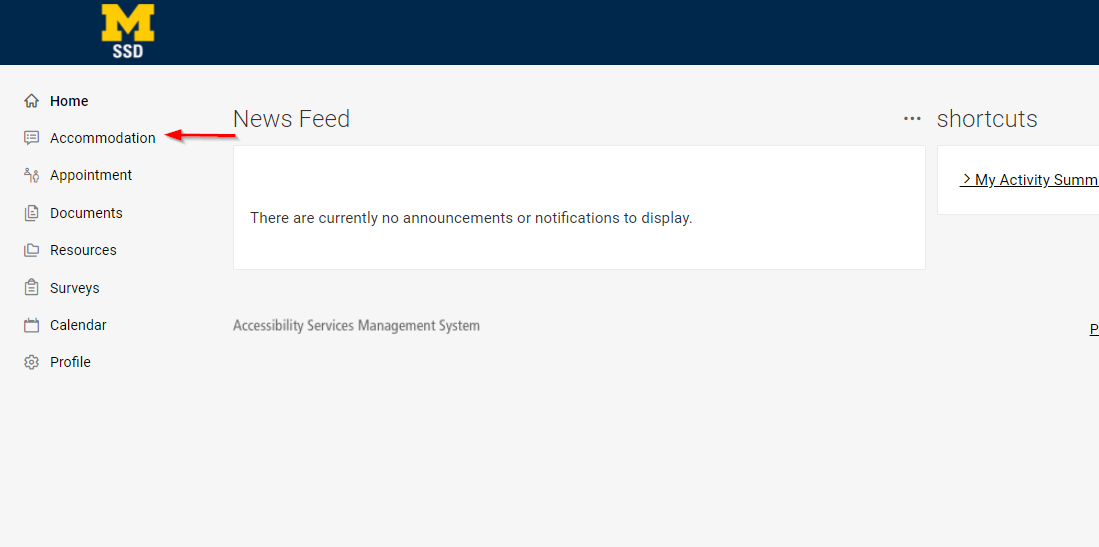
Step 1
Choose Accommodation Portal.
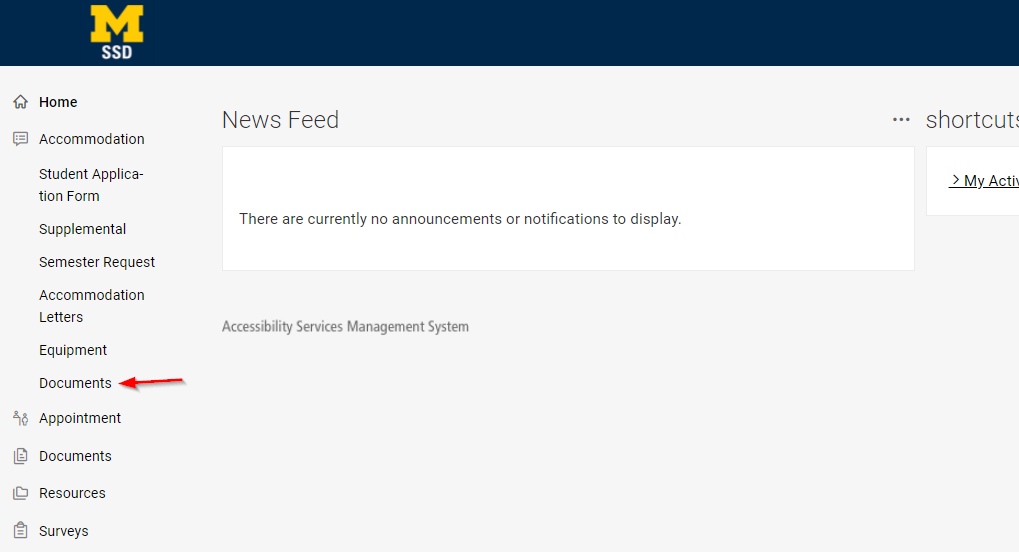
Step 2
Select Documentation Portal on the left side of the screen.
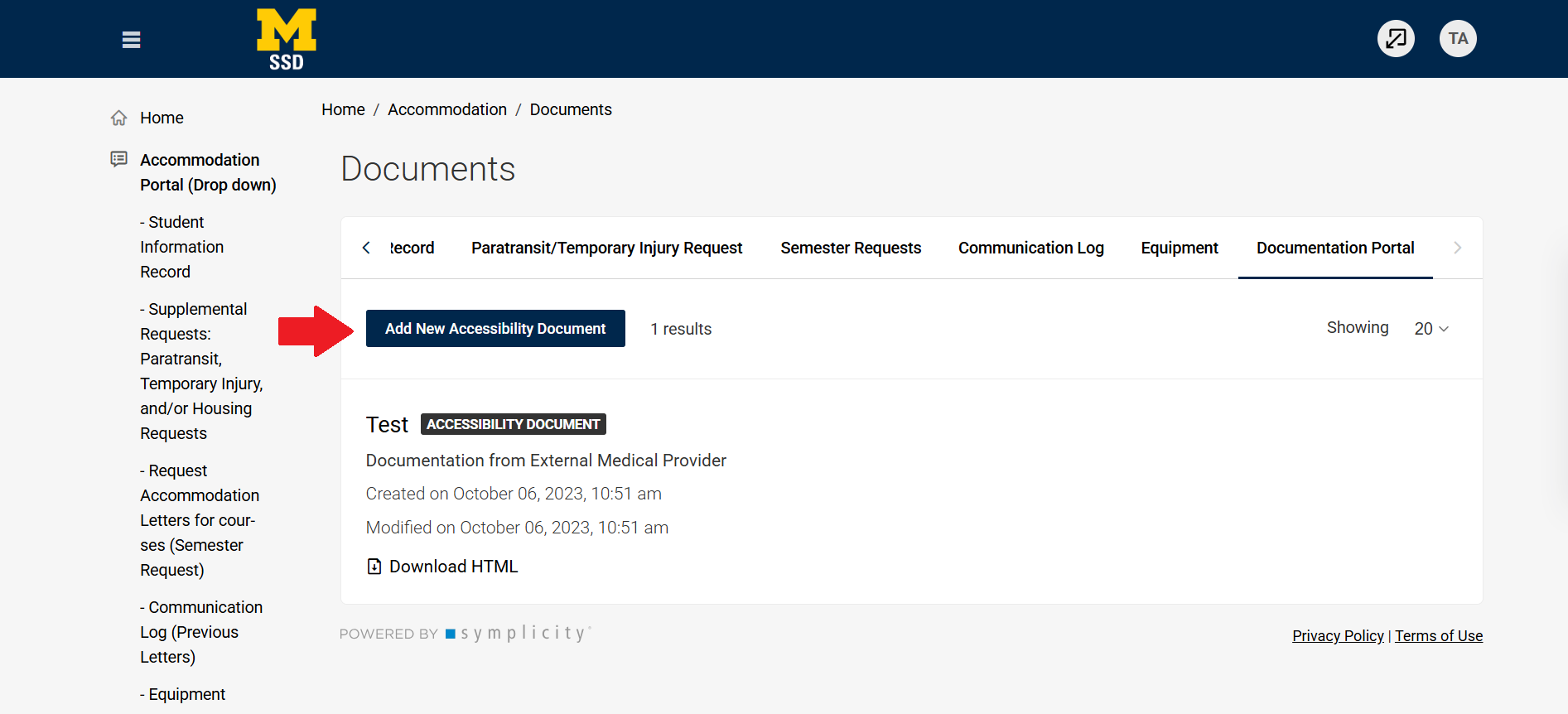
Step 3
Click Add New Accessibility Document.
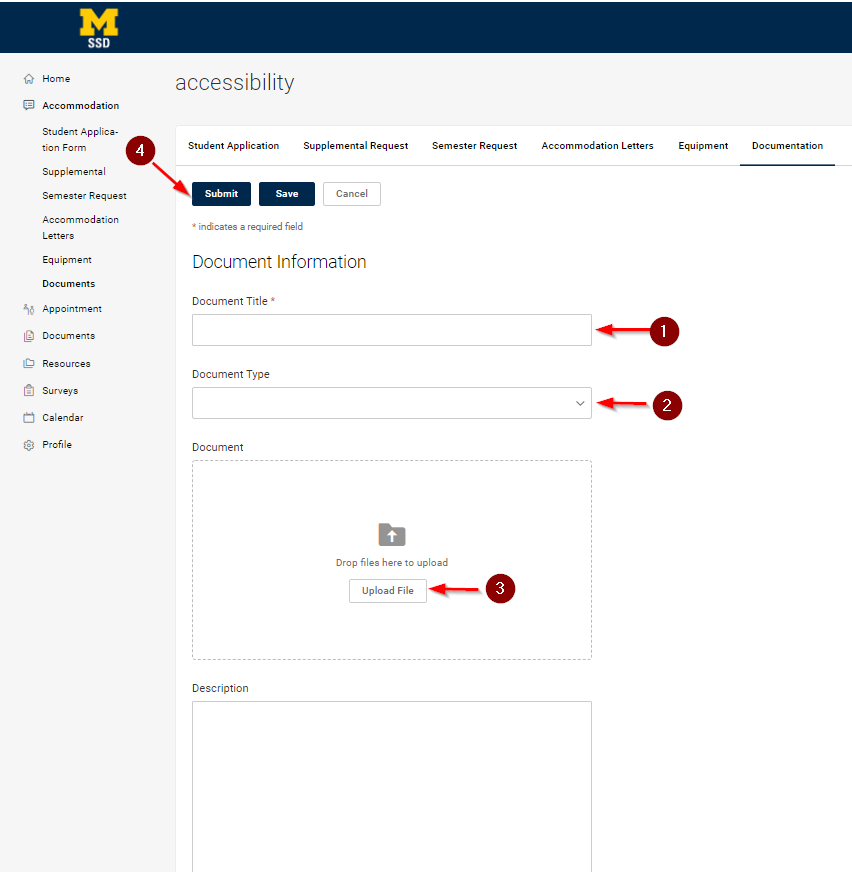
Step 4
Fill out the information and upload the document file, and click Submit.
Step 5
Your disability access coordinator will be notified that the document has been submitted and will follow up with you if needed.