
Each semester, students must log into Accommodate to request their approved accommodations for each of their courses.
This will create an accommodation letter that will be shared with the instructor(s) on record in Accommodate via email. Once completed, students will be able to create a PDF of the accommodation letter to share as necessary.
Step 1
Log in to the Accommodate Portal.
Once you are logged into Accommodate, you will select 'Accommodation Portal' from the main menu on the left side.

Step 2
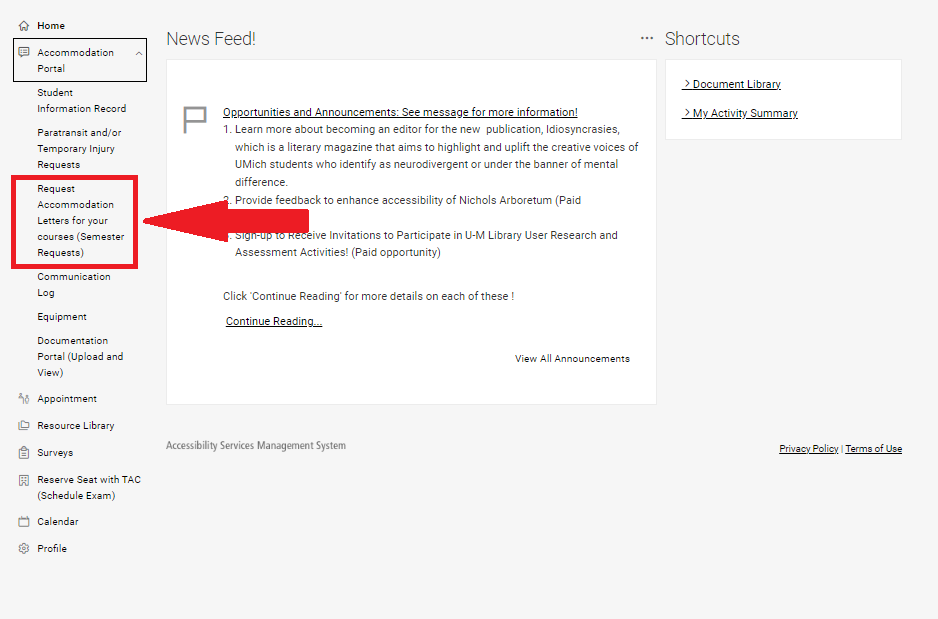
Click Request Accommodation Letters for your courses (Semester Request).
Step 3
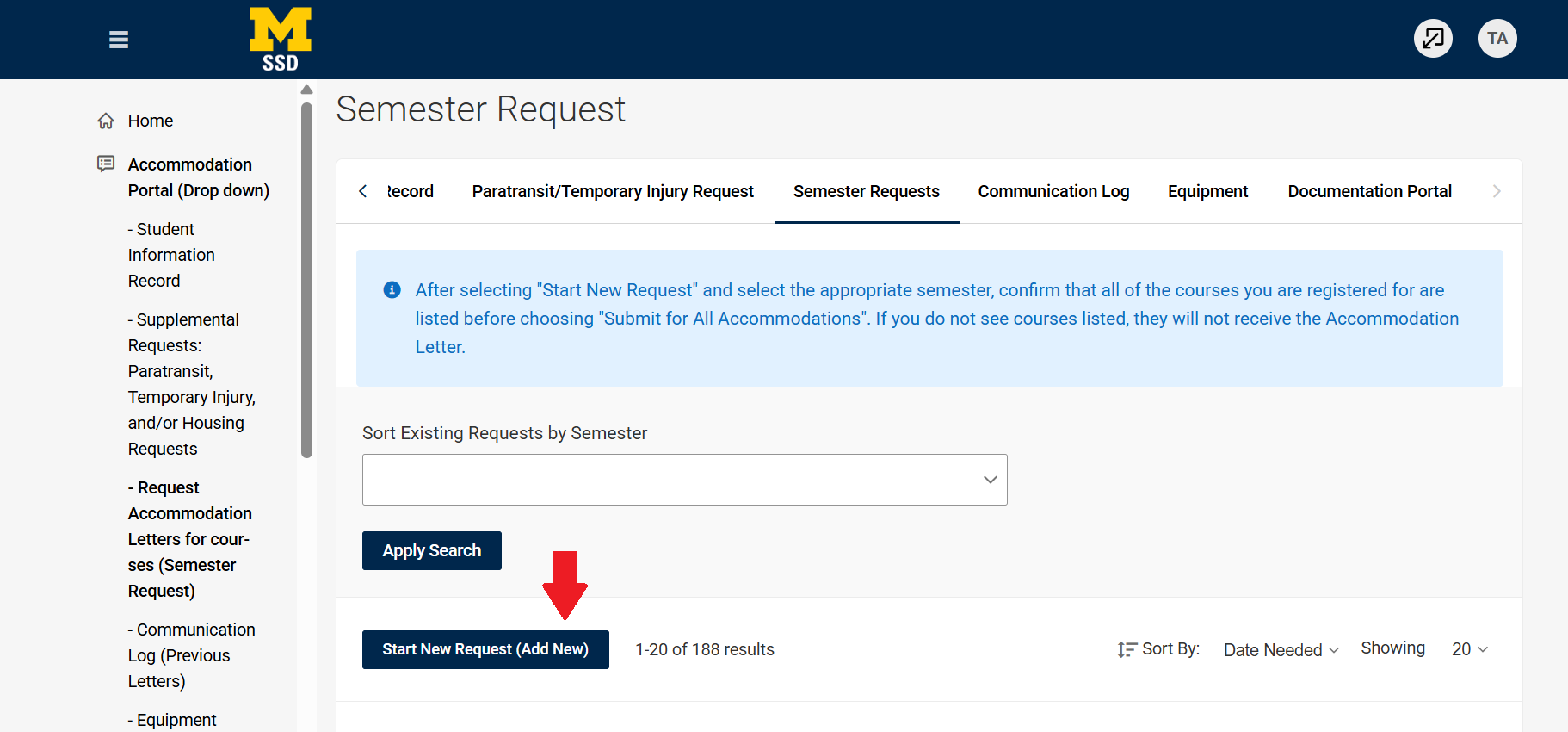
Select Start New Request (Add New).
Step 4
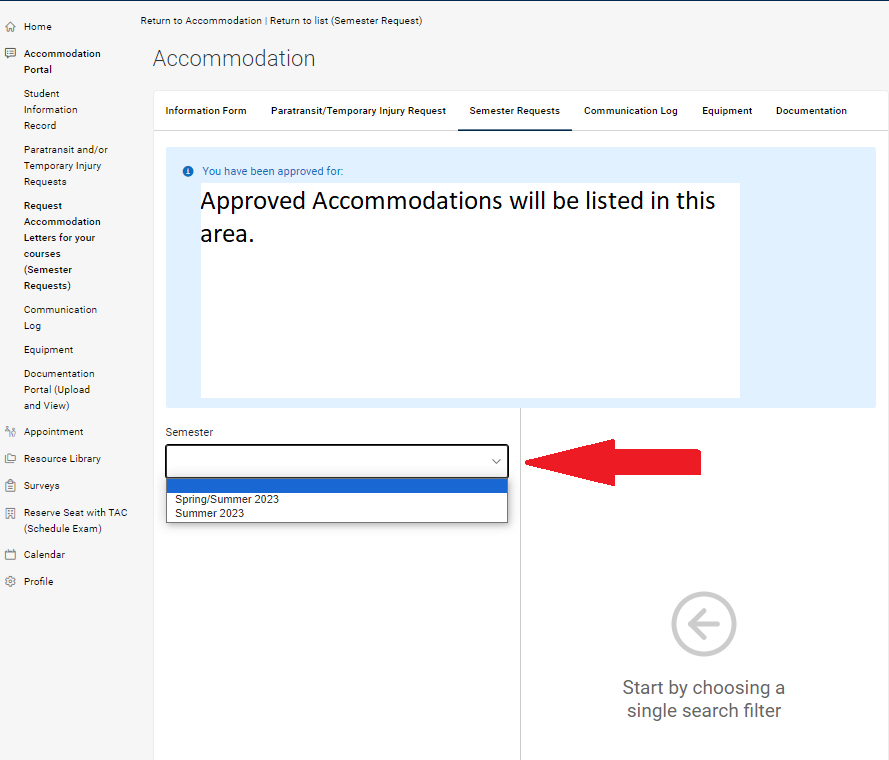
Select the semester you are requesting accommodation letters for. Your list of approved accommodations will be available on this screen. Please wait until a list of your courses appear before submitting.
Step 5
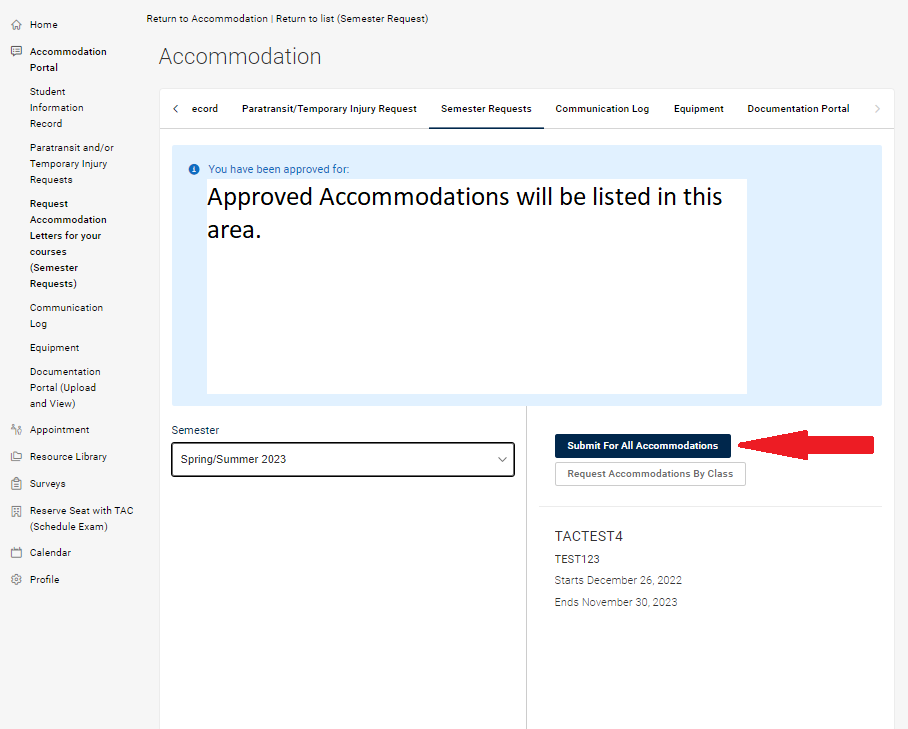
You have two options for how to send your accommodation letters. Select 'Request Accommodations by Class' to select accommodations by course, OR select 'Submit for All Accommodations' to add all approved accommodations for all courses.
Step 6
Your coordinator will review your request and, once approved, your accommodation letter will be sent to your instructor(s). Follow up directly with your coordinator if there is an issue throughout this process.