Once you have been assigned to a disability access coordinator, you must schedule a welcome meeting to explore academic accommodations and resources or a housing meeting to explore housing accommodations. This should take place after you have completed orientation and registered for courses.
Step 1
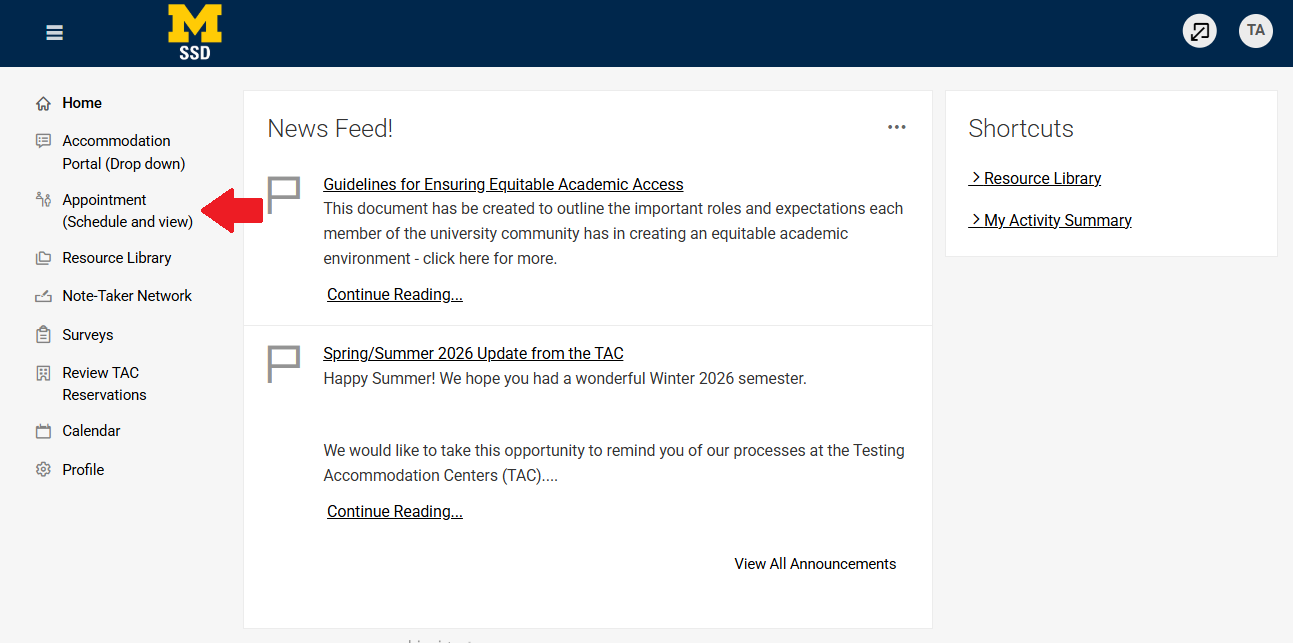
Log into Accommodate. Go to Appointment (Schedule and view).
Step 2
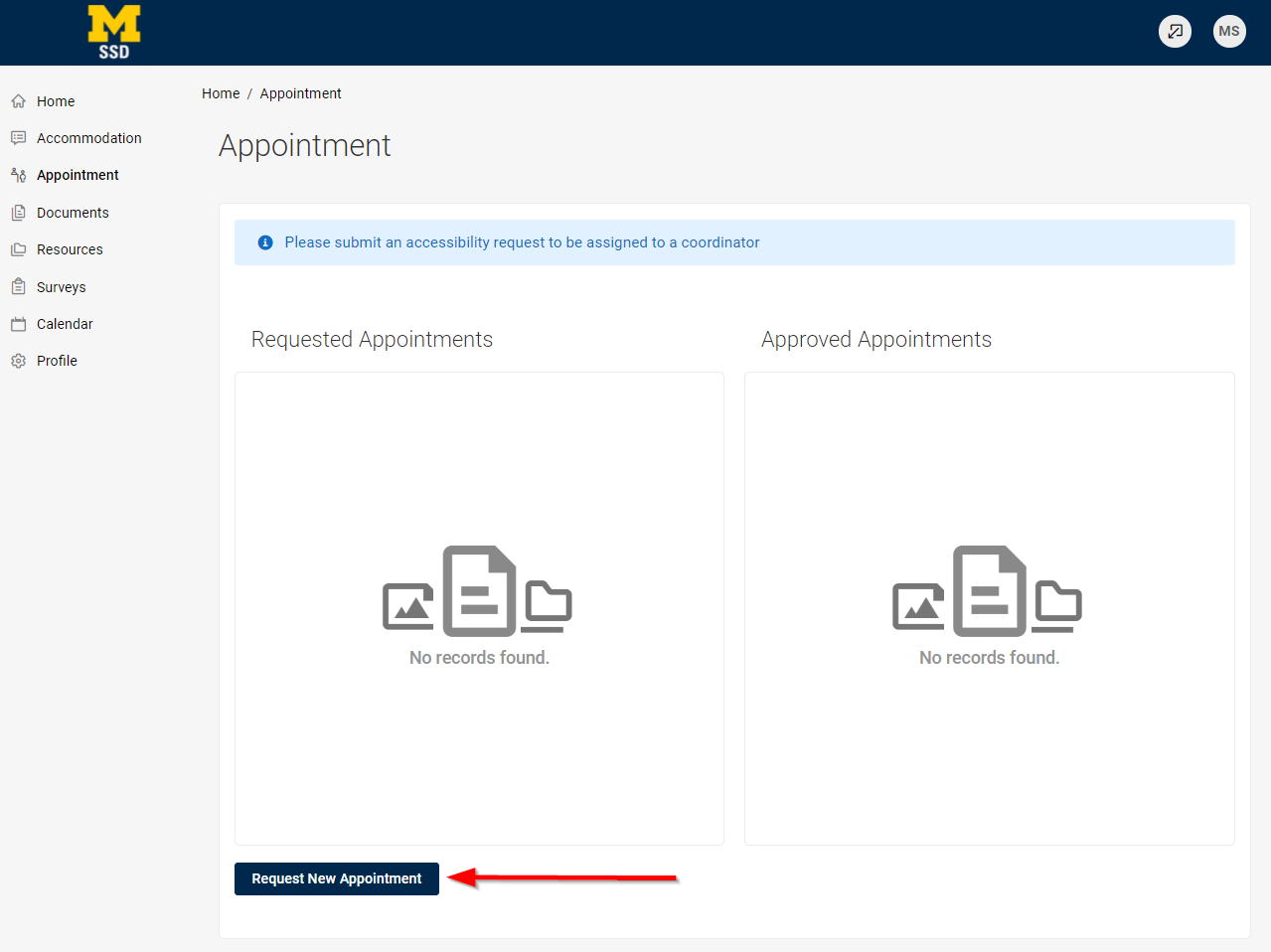
Click Request New Appointment.
Step 3
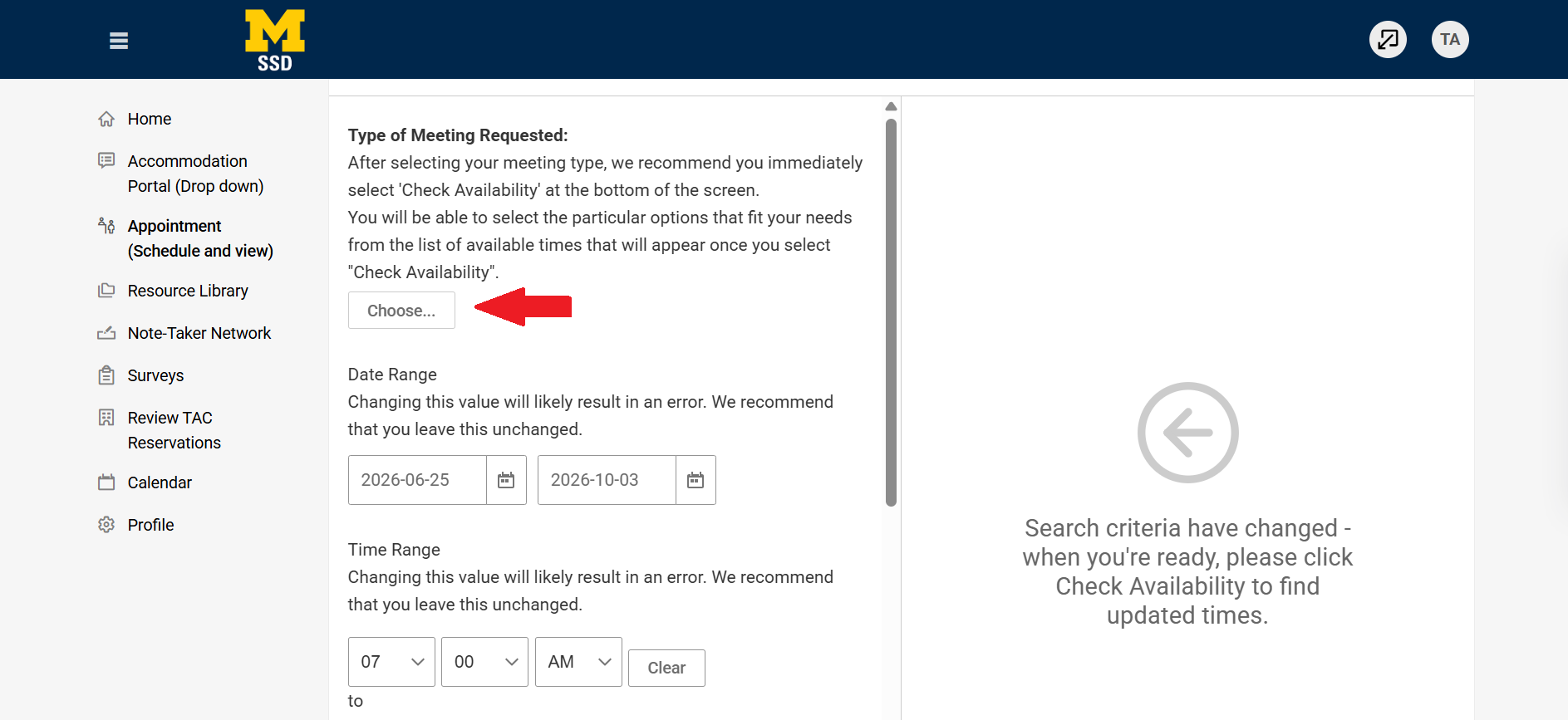
Under Type of Meeting Requested, choose the kind of meeting you would like. If you are scheduling your first meeting with SSD, select Welcome Meeting under the drop-down menu. Don't fill out the other fields.
Step 4
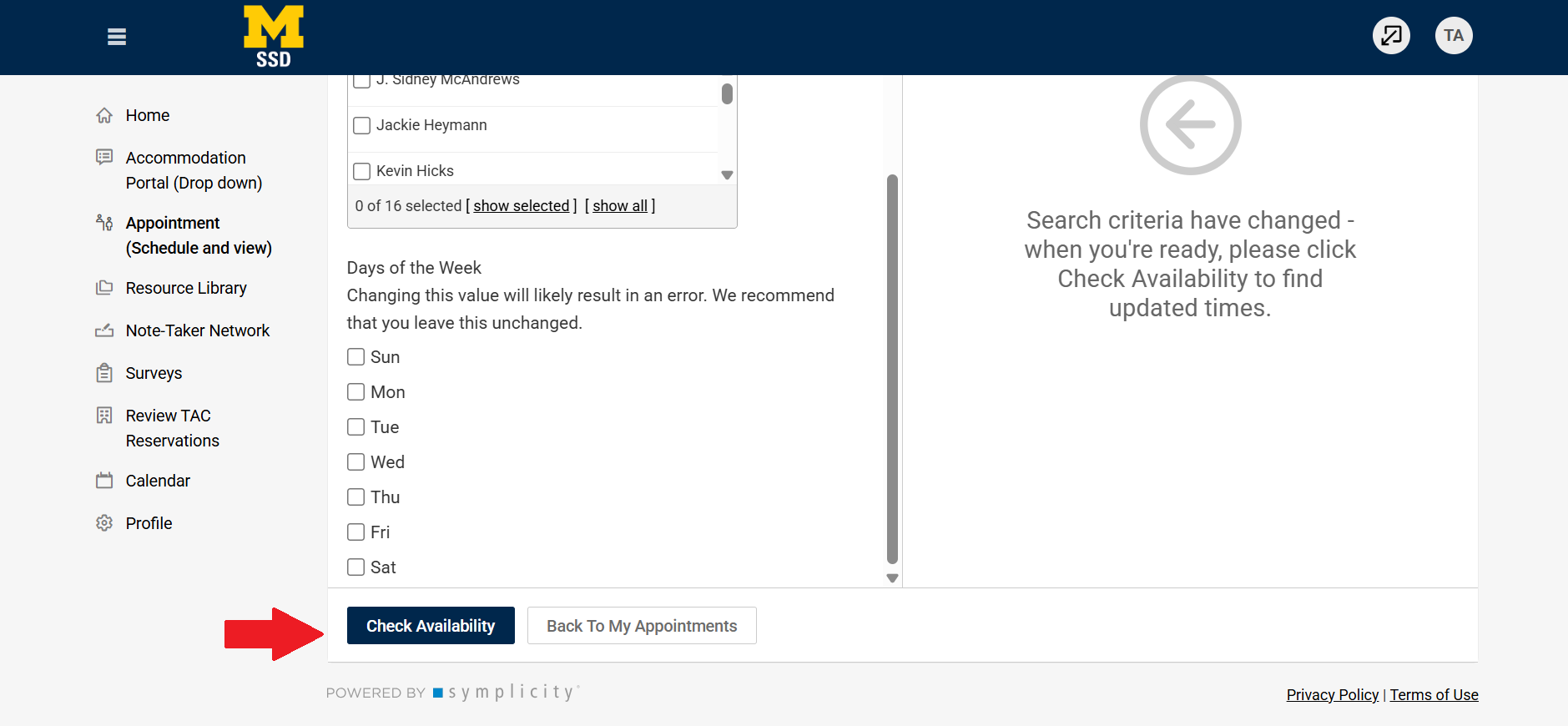
Scroll down and click Check Availability. After a minute or two, appointment slots with SSD staff will appear on the right side of the screen. Select the appointment you'd like to book.
Step 5
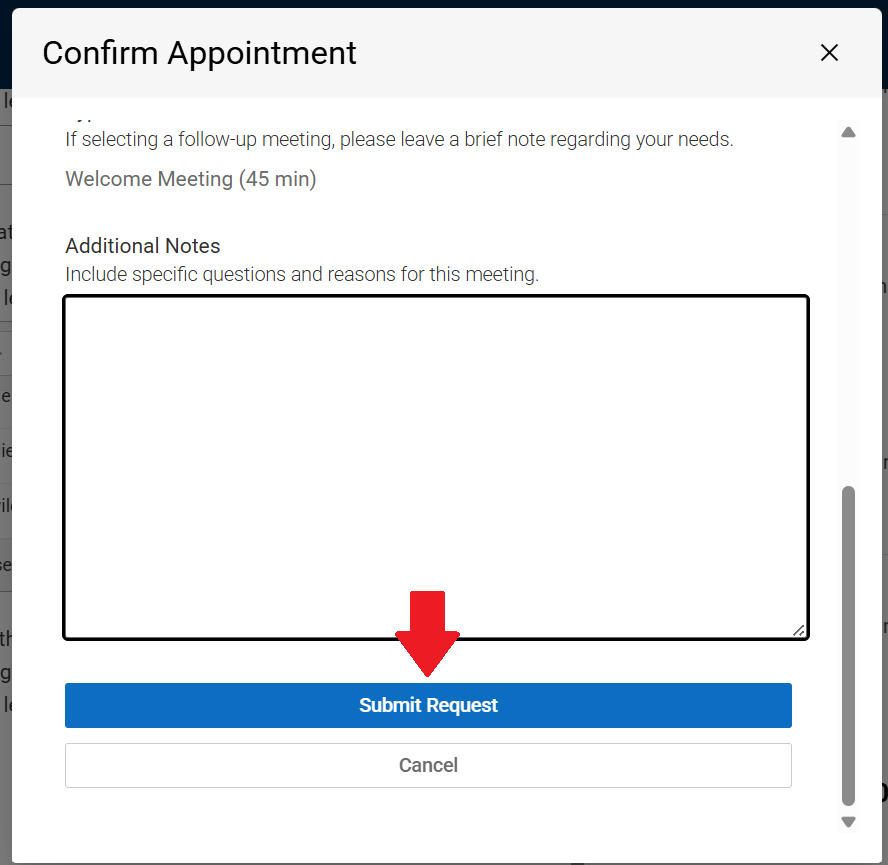
A window will pop up titled Confirm Appointment. Scroll to the bottom and add any additional notes you would like the staff member to know before the meeting. Then click Submit Request.
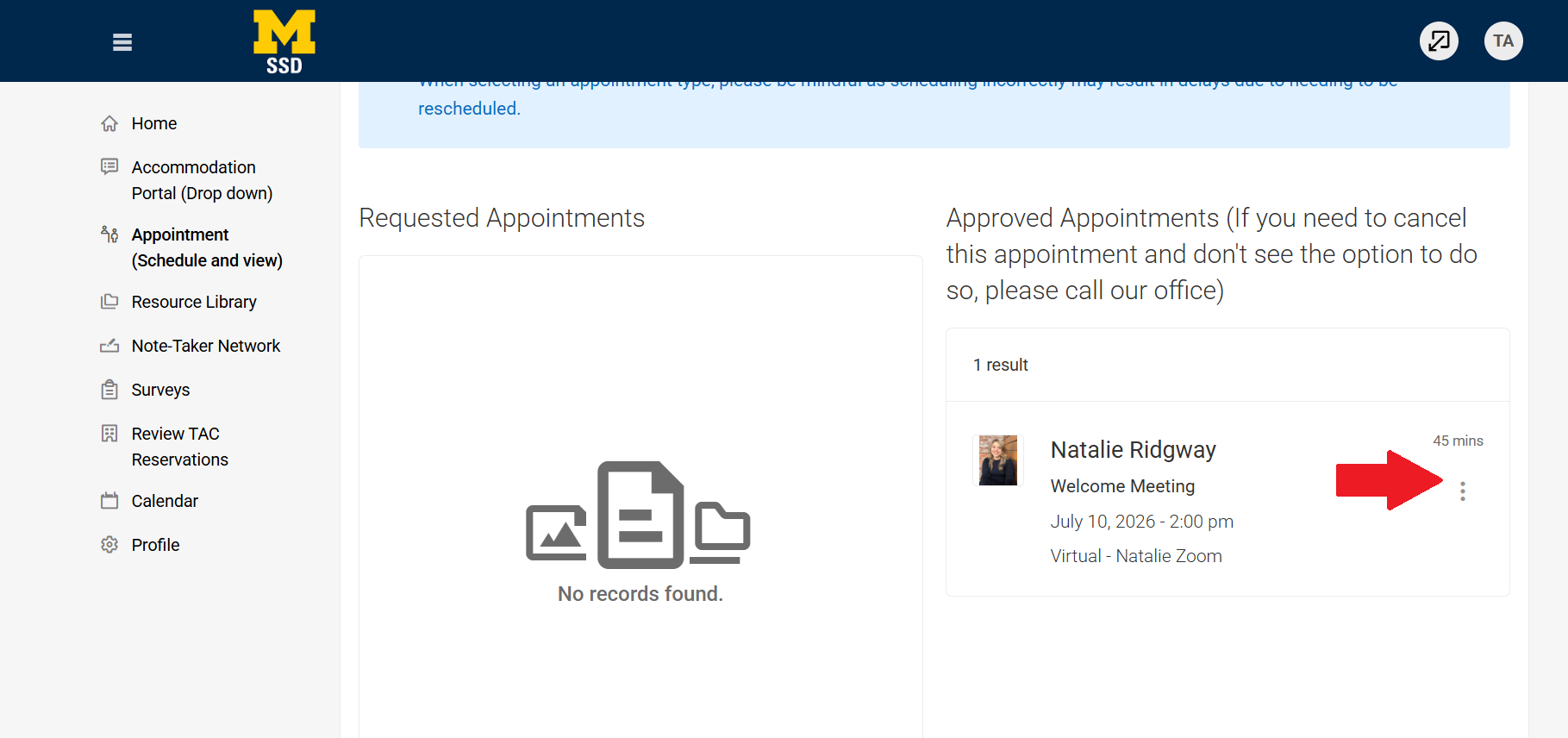
You will be taken to a page that shows you all of your scheduled meetings. You will find the meeting under Approved Appointments. If you click on the three vertical dots to the right of the meeting, you can add the meeting to your calendar, cancel it, or reschedule it.