Step 1
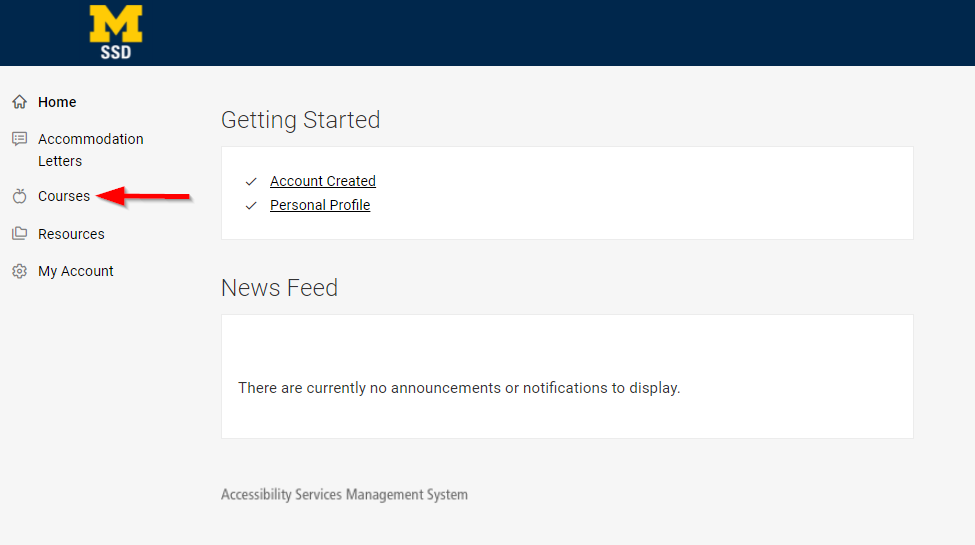
Login to Accommodate and select Courses from the main menu on the left side of the screen.
Step 2
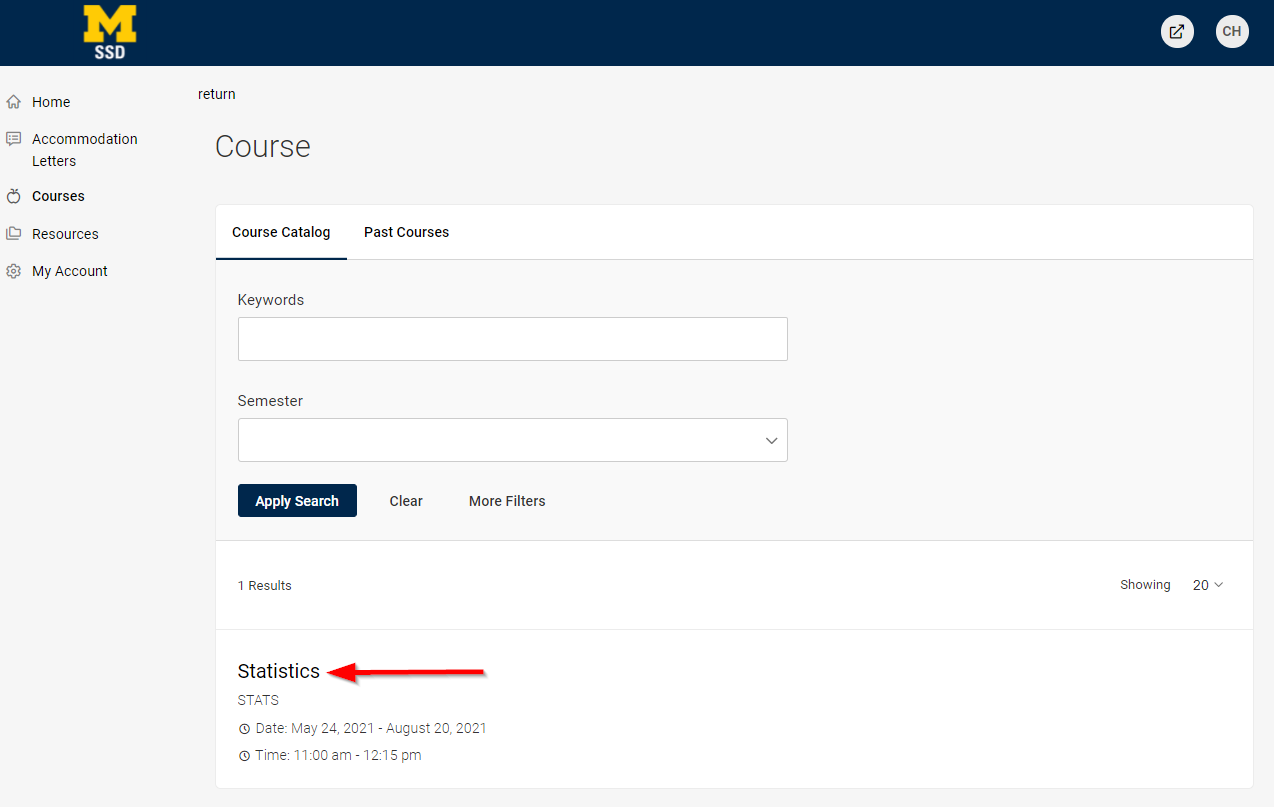
View Class List - A list of classes you are currently teaching will appear.
- Use the 'Semester' filter if you are attempting to view a course in a semester other than the current semester.
Select the appropriate course from the course list.
Step 3
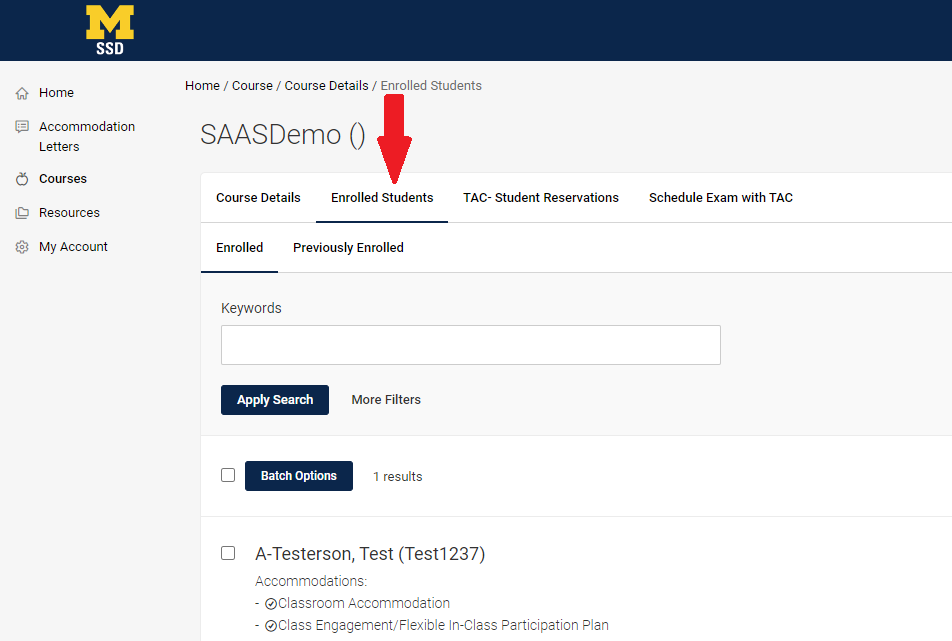
Within the course information screen, select the Enrolled Students option, which is one of the four options available for the course (Course Details (default), Enrolled Students, TAC- Student Reservations, and Schedule an Exam with the TAC)
If a student has requested to use their approved accommodations in your class, accommodations will appear with the student's name.
Step 4
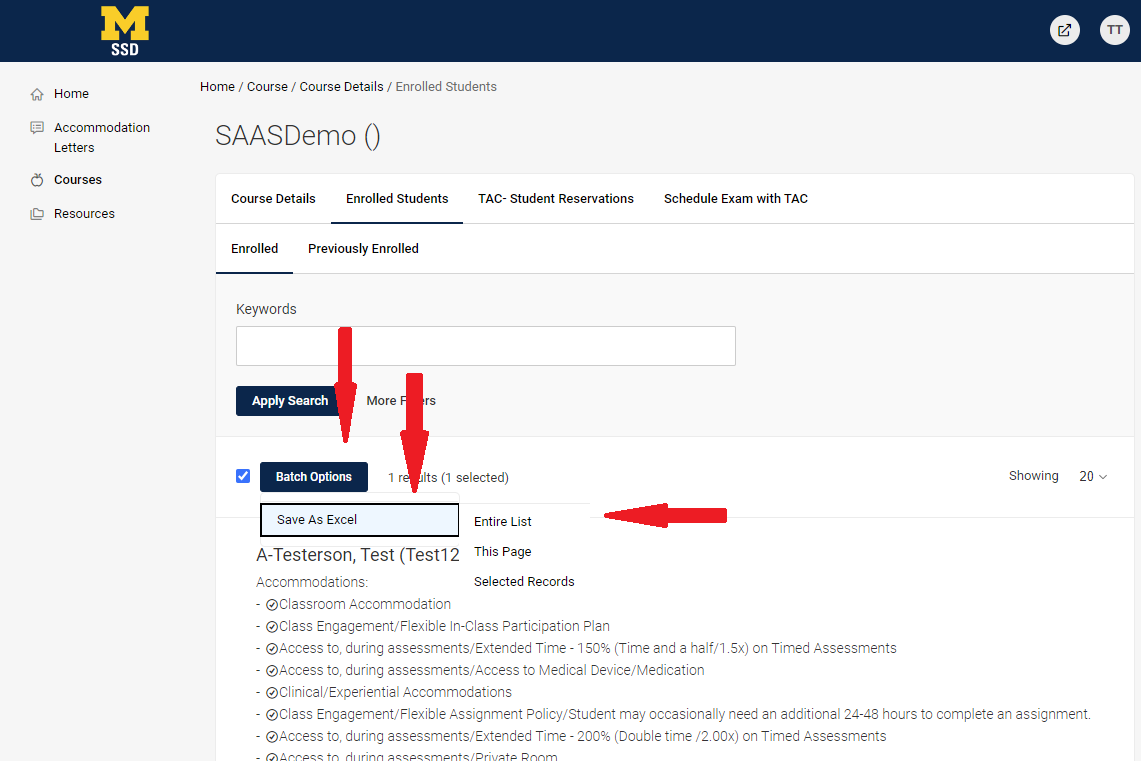
In this view, you can download an Excel list of your students with accommodations.
To do this, select 'Batch Options', 'Save as Excel', then 'Entire List'. Alternatively, you can choose to download 'This Page' or 'Selected Records'.