Column 1
Step 1
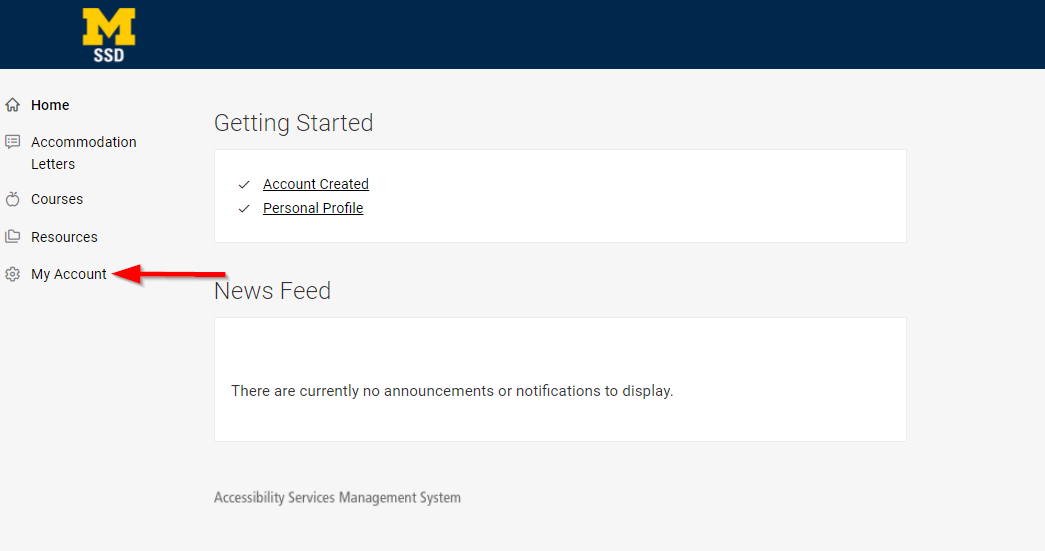
Once you are logged in to Accommodate, click My Account on the home page.
Step 2
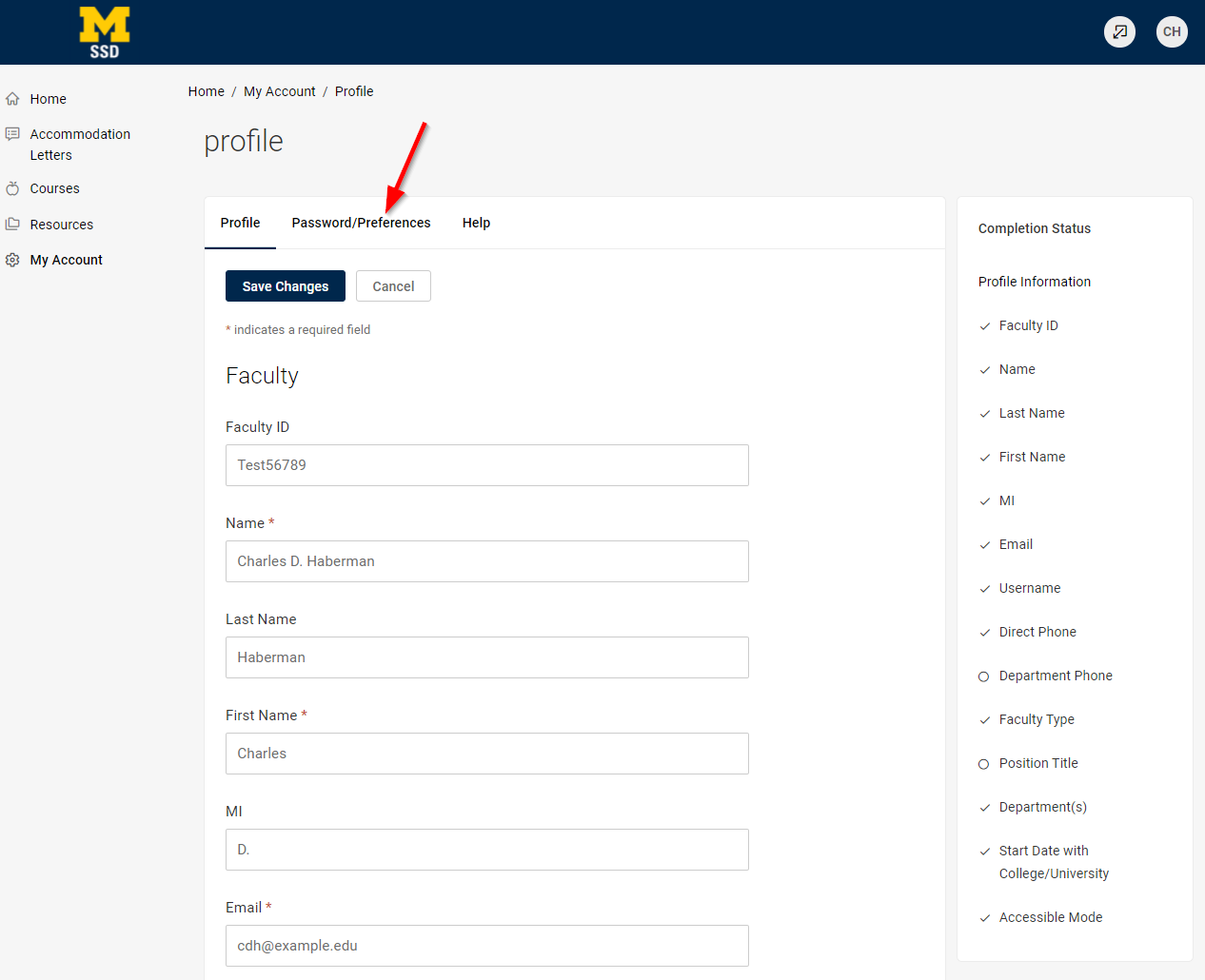
Under the My Account tab, click on Password/Preferences.
Step 3
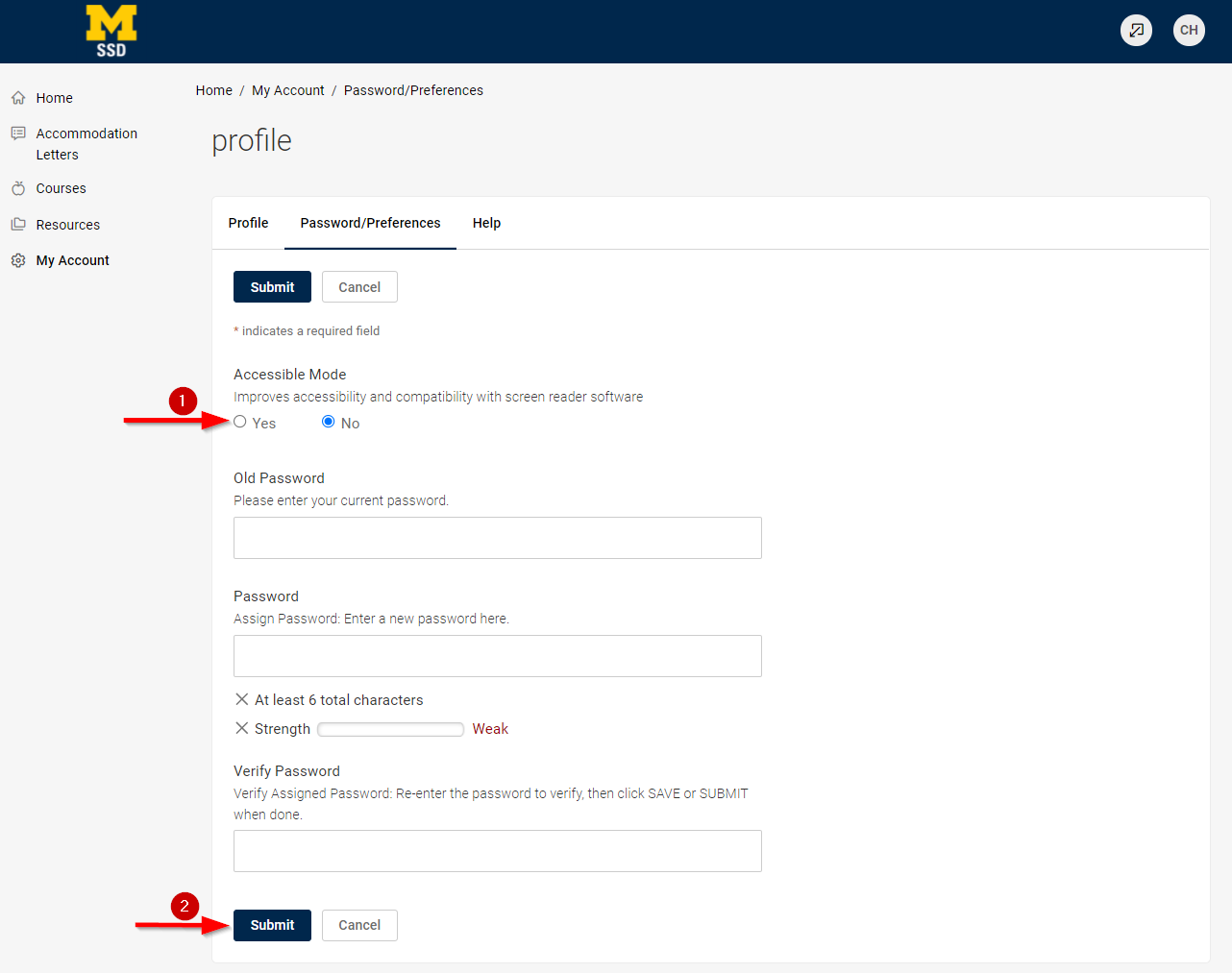
Under the Accessible Mode caption, select Yes and click Submit.

Once you are logged in to Accommodate, click My Account on the home page.
Under the My Account tab, click on Password/Preferences.
Under the Accessible Mode caption, select Yes and click Submit.