
Why should I access accommodation letters?
The accommodation letters found within the “accommodation letters” tab list and describe the accommodations each student has been approved for. Accessing these letters is of utmost importance, as they allow you to know the accommodations a student is approved for in your class.
Step 1
Receive Email Notification and login to Accommodate
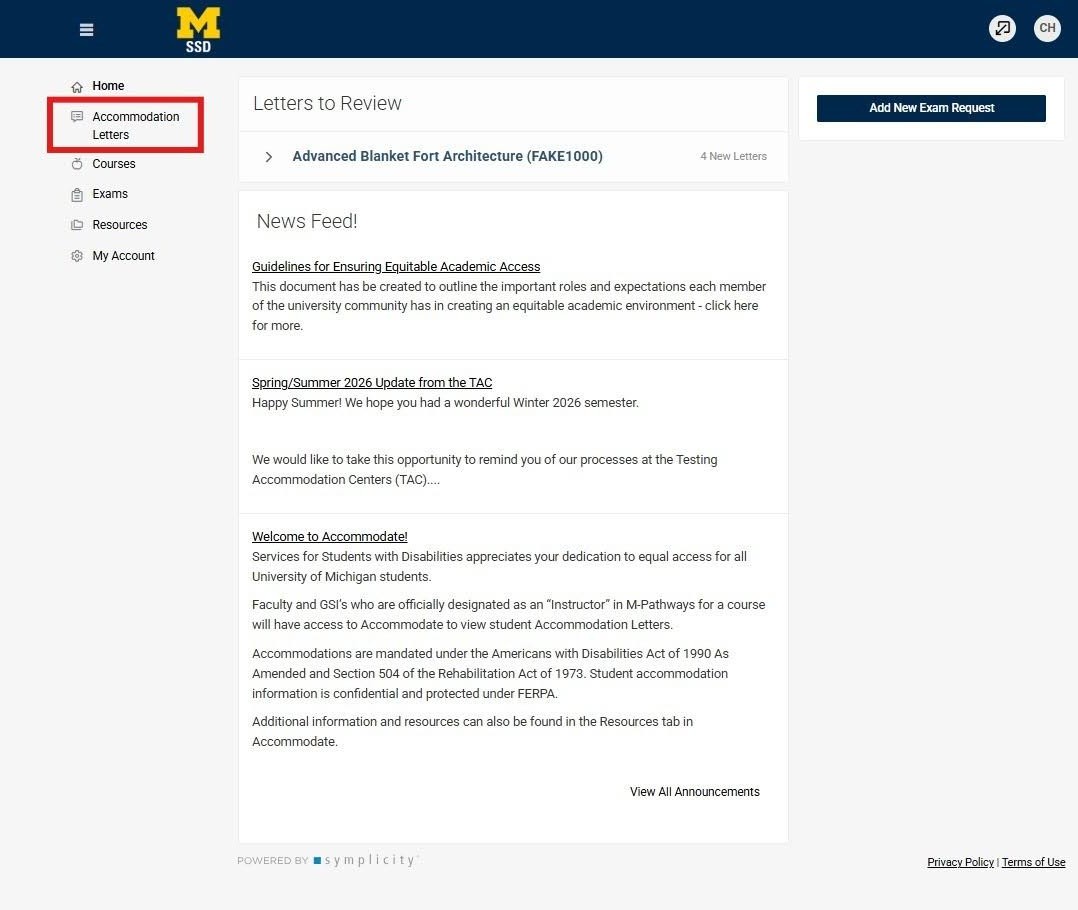
If a student requests to use accommodations in your course, you will receive an email asking you to login to Accommodate and view their Accommodation Letter. You can login to Accommodate without an email notification and view Accommodation Letters by clicking Accommodation Letters on the home screen of Accommodate.
Step 2
Choose Accommodation Letters from the home page to view the student’s approved accommodations.
Step 3
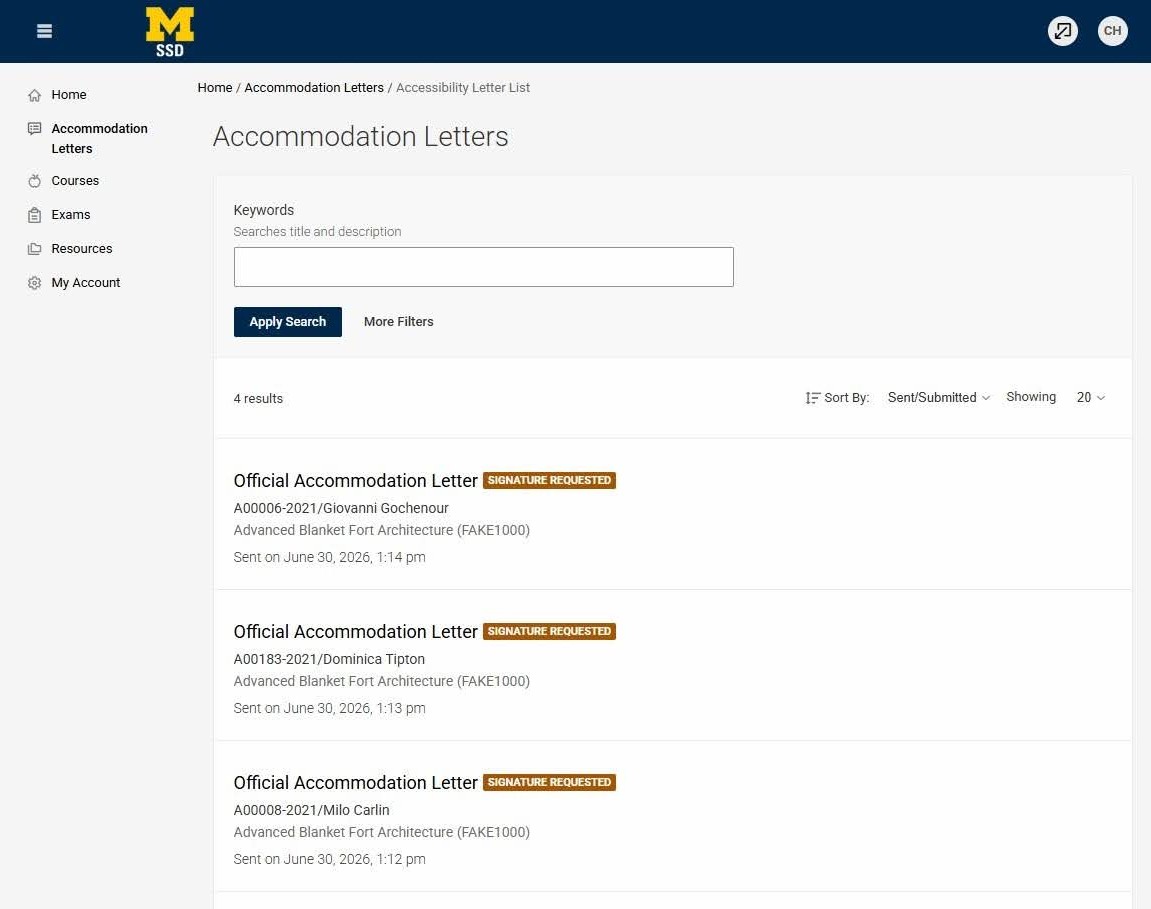
This will populate a new page, the Accommodation Letters Page. This page will list all Accommodation Letters that have been received.
Step 4
You can narrow the results on this page by selecting more filters, which will allow you to filter the letters. You can filter by student name in the Keywords box, by semester in the semester list, by course name, or by date.
Step 5
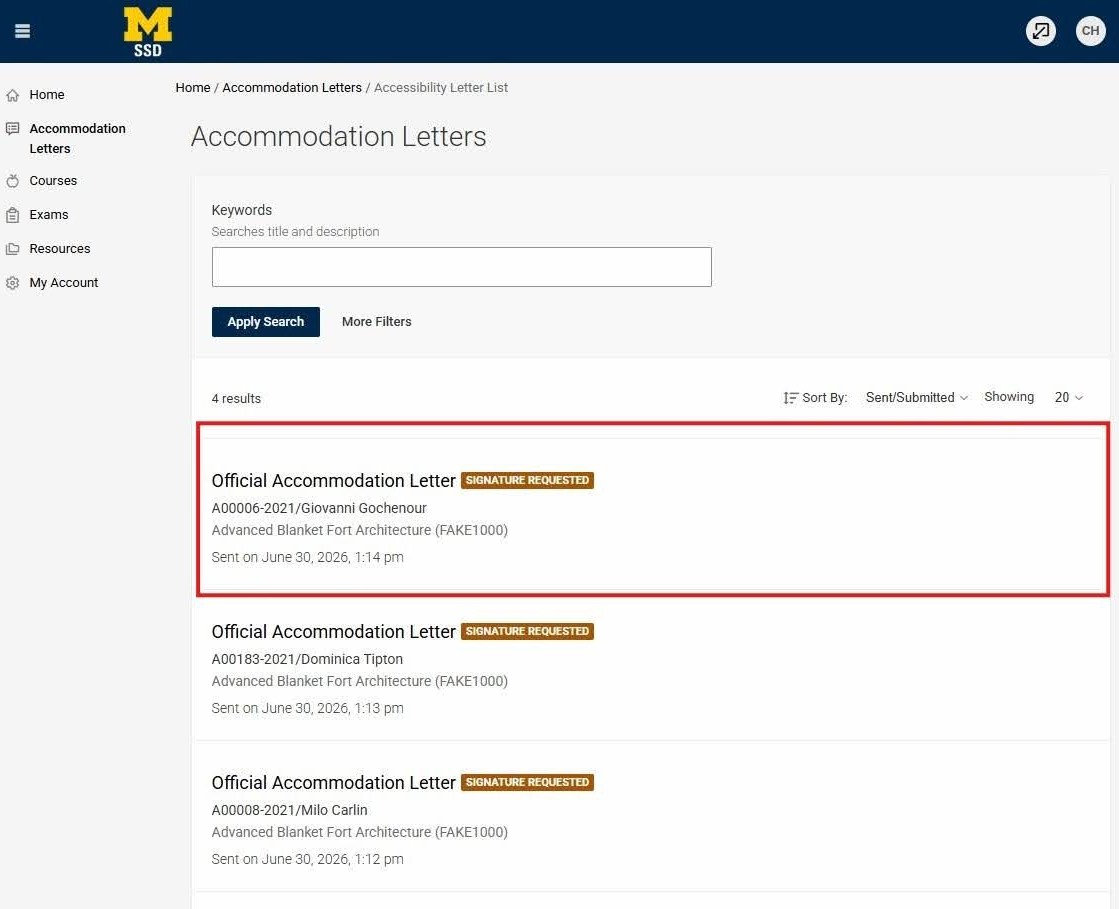
To review a letter, select the Accommodation Letter from the list.
Step 6
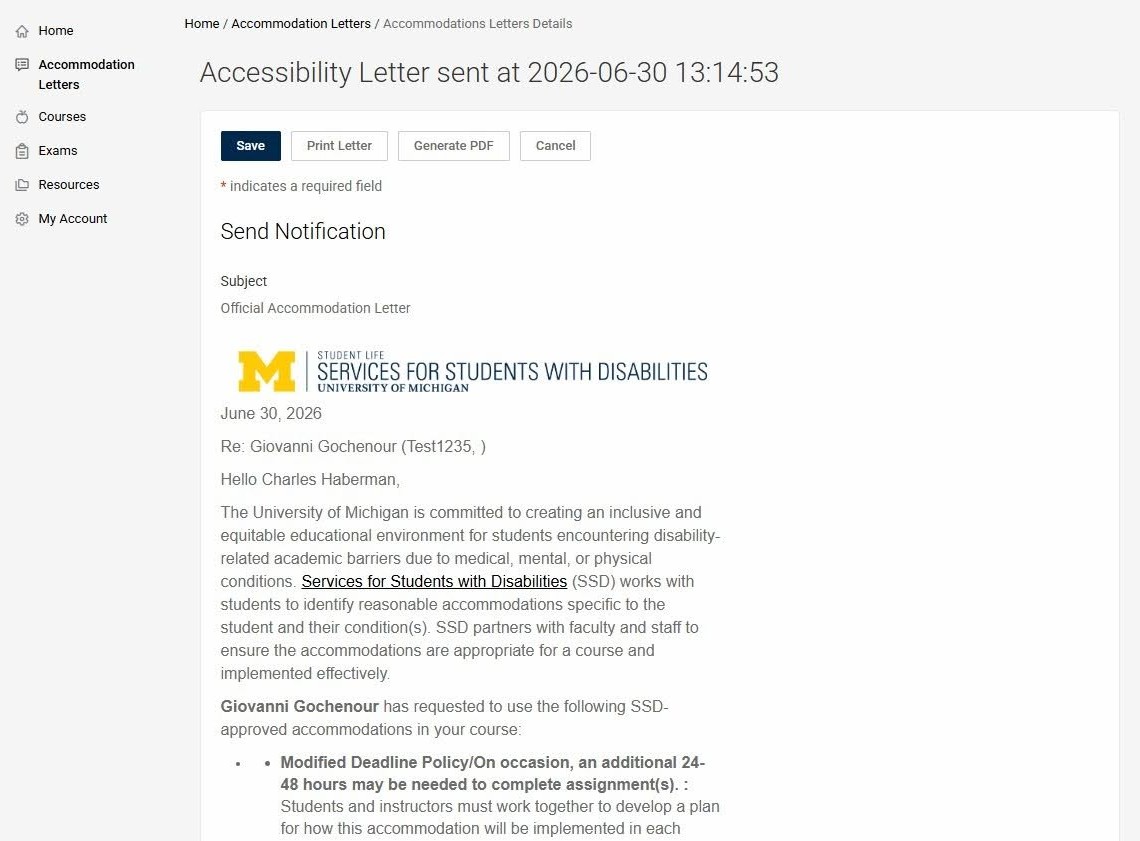
Selecting a specific letter will open the student’s letter for your review.
Step 7
In reviewing the letter, you will need to scroll to see the entire letter. At the bottom of the page it will give you the option to sign the letter. Some instructors choose to sign the letters so they are able to identify which ones they have reviewed.
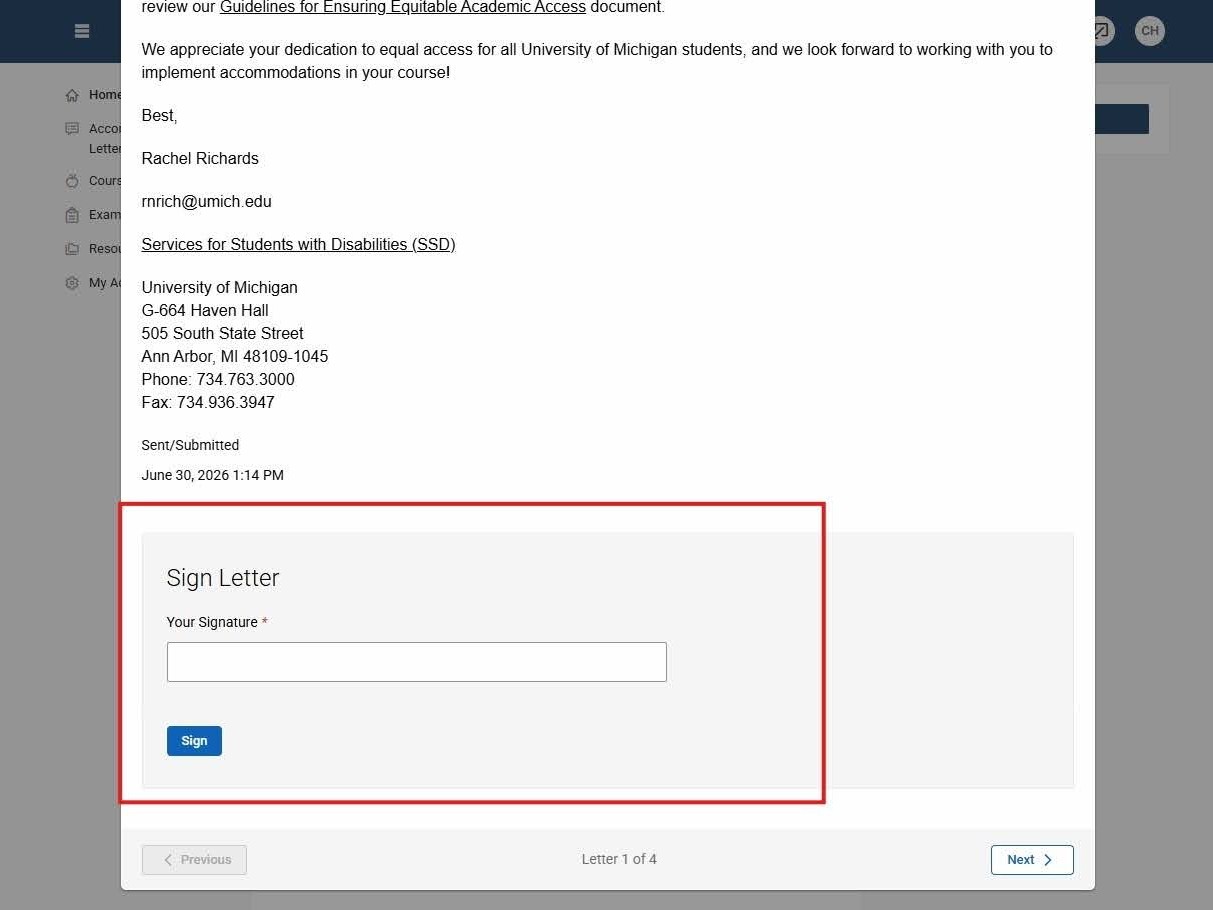
You can scroll to the bottom to sign and save for your own record (PLEASE NOTE: your signature is not required to confirm receipt). The Accommodation Letter will remain viewable in your portal