
Why should I access accommodation letters?
The accommodation letters found within the "accommodations letters" tab list describe the accommodations each student has been approved for. Accessing these letters is of utmost importance, as they allow you to know the accommodations a student is approved for in your class.
There are several ways to access letters in Accommodate. Accessing letters via the "courses" tab allows you to easily see the letters for each course you instruct.
When you have unsigned letters, Accommodate will populate a Letters to Review box on the homepage.
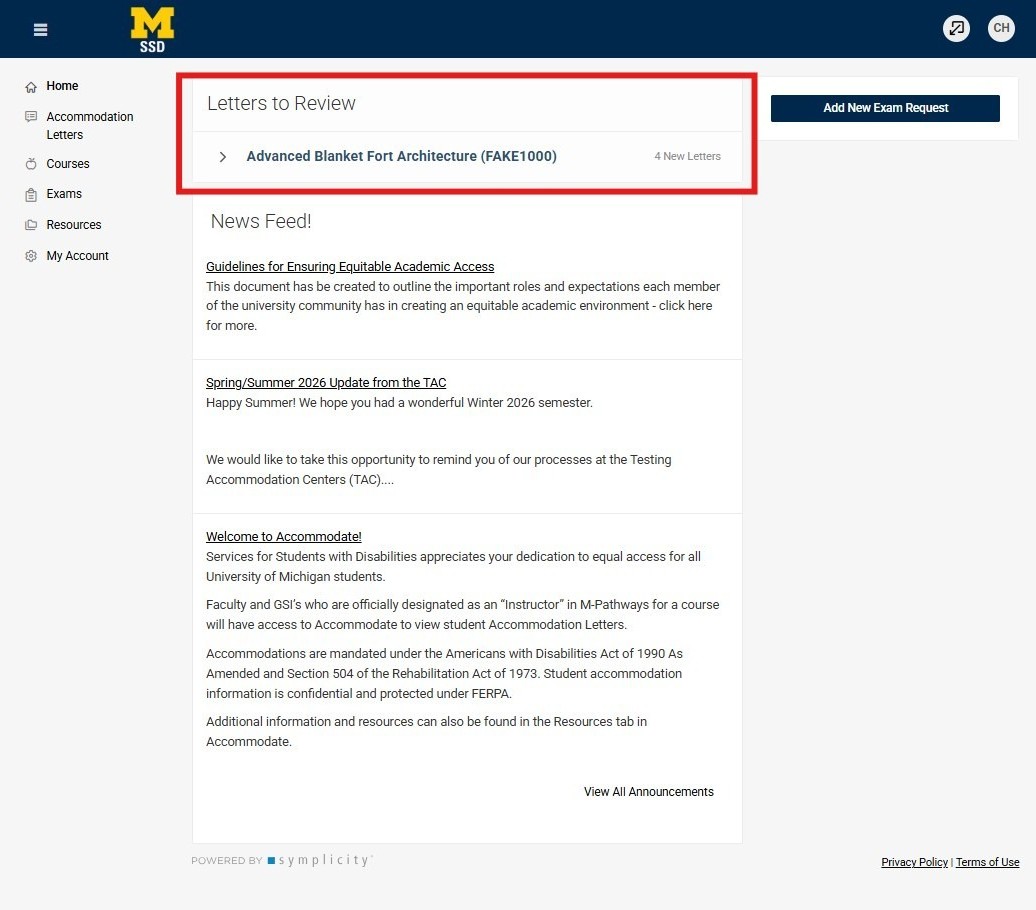
Step 1
Selecting the course name will drop down a list of students who have requested letters be sent to you as their instructor.
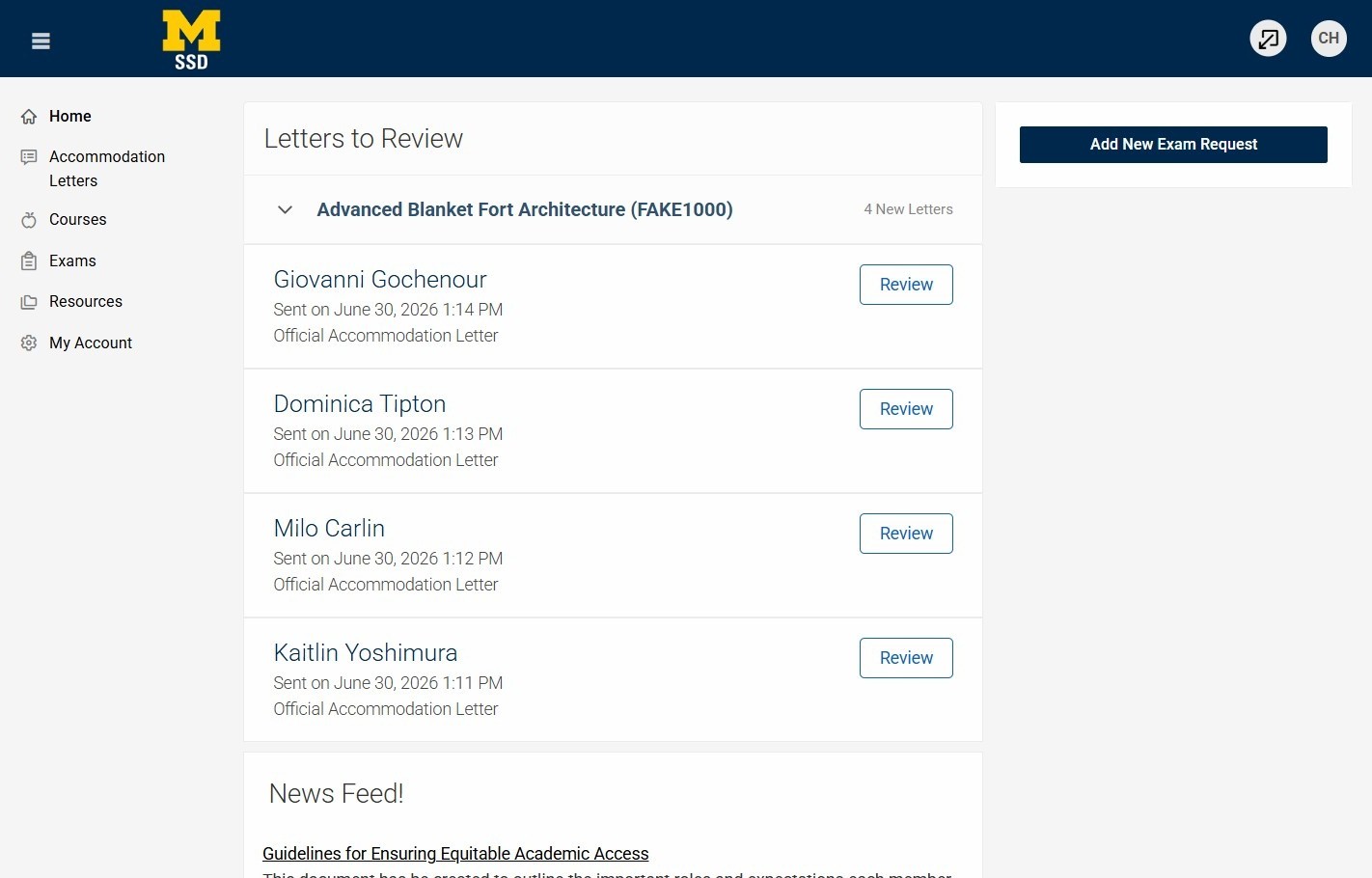
Step 2
To review the letter, select the review button to the right of the student's name.
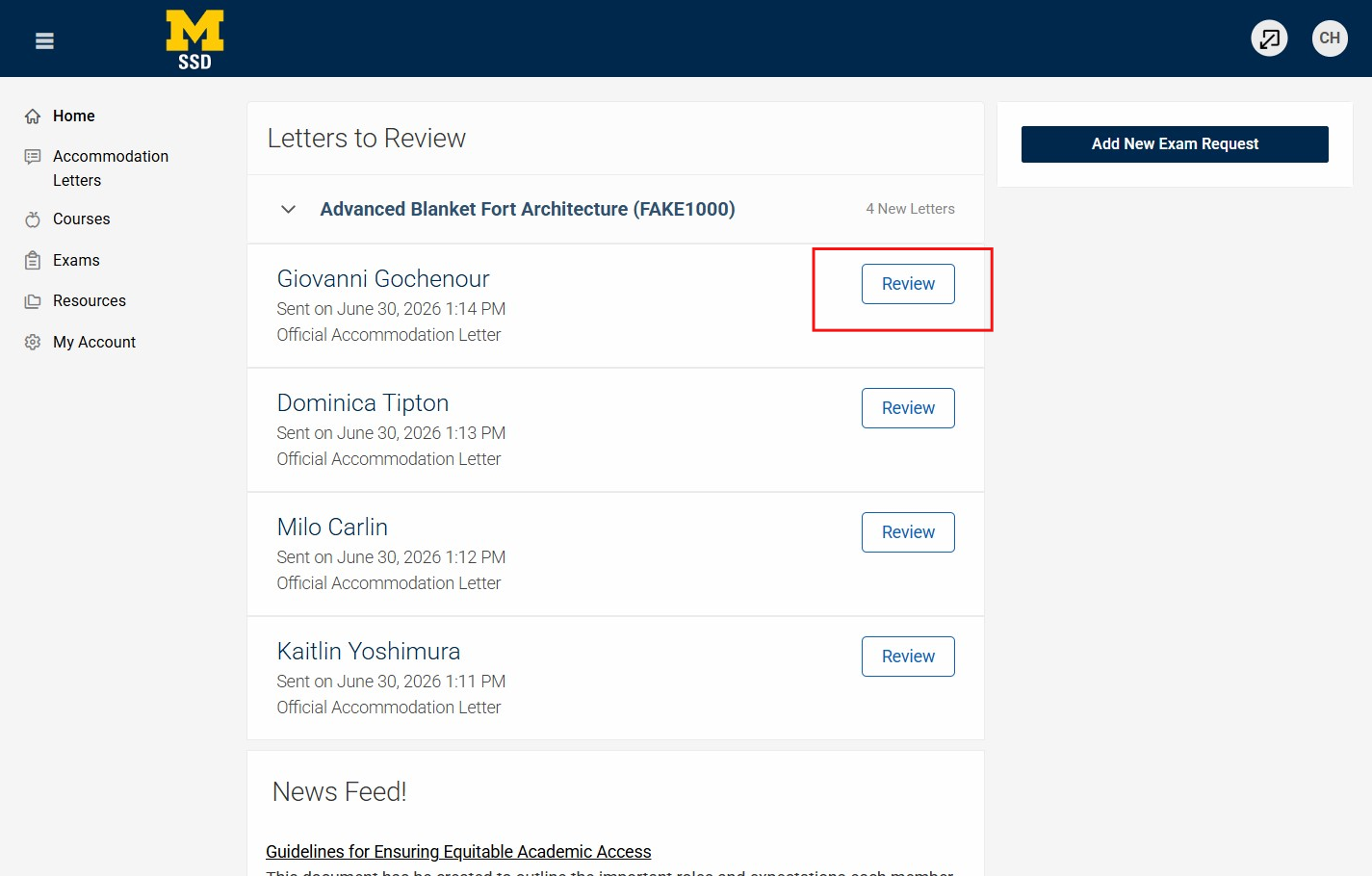
Step 3
Selecting the review button will populate the student's letter as a pop-up screen.
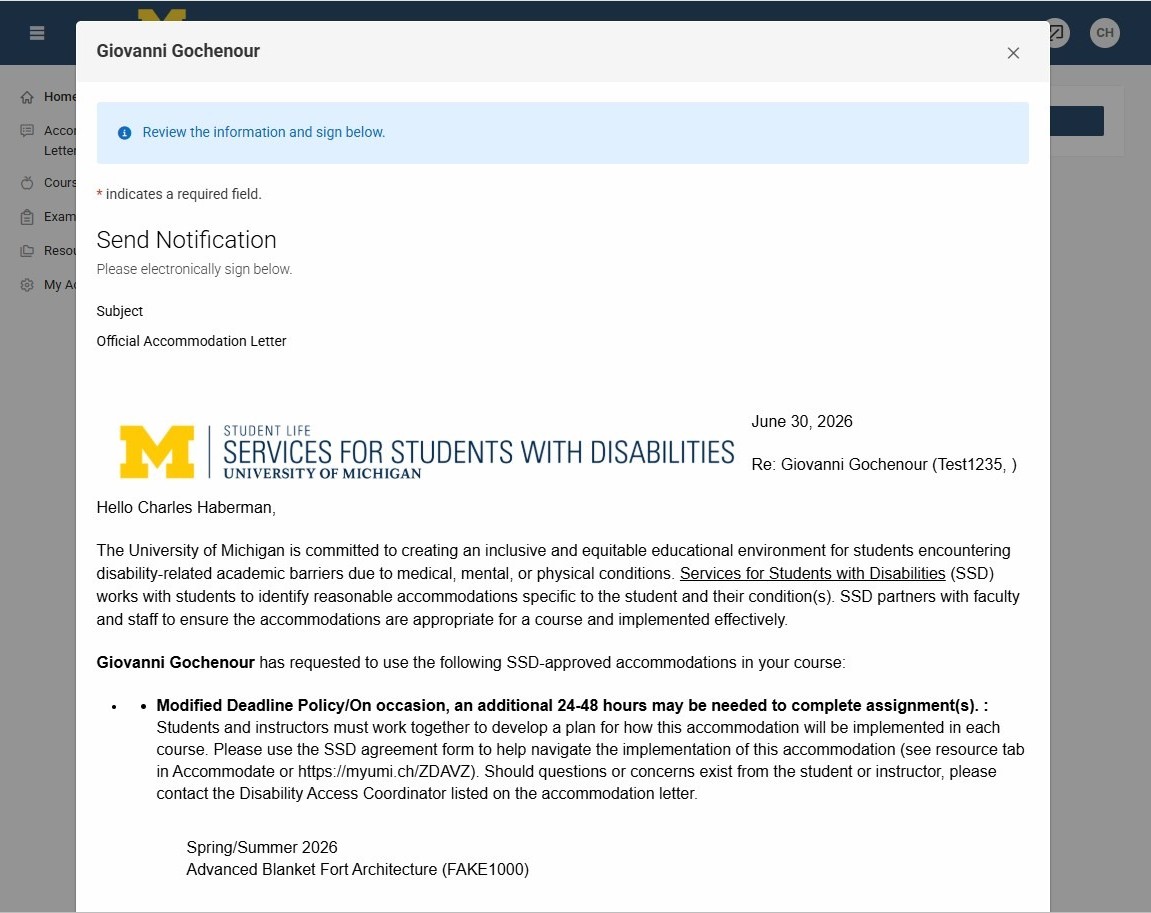
Step 4
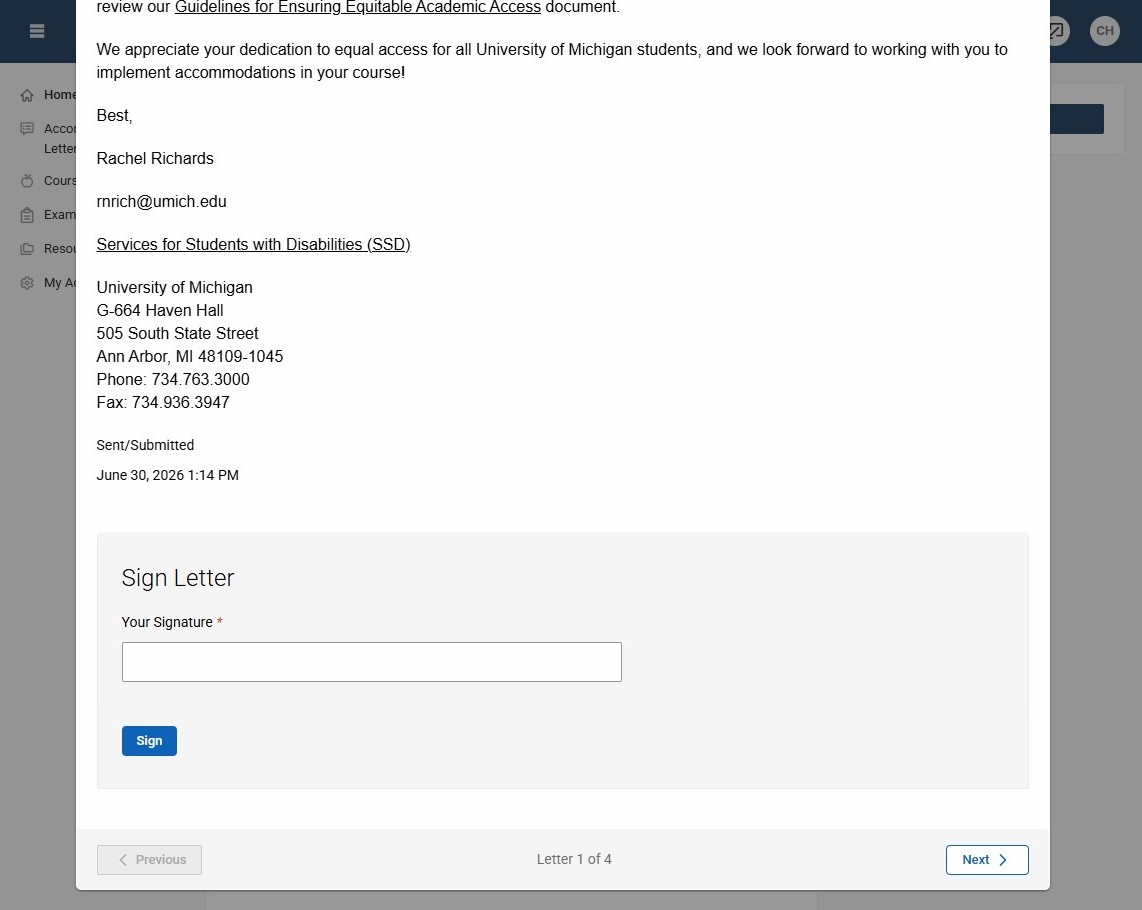
In reviewing the letter, you will need to scroll to see the entire letter. At the bottom of the page it will give you the option to sign the letter. Some instructors choose to sign the letters so they are able to identify which ones they have reviewed.
Step 5
You can scroll to the bottom to sign and save for your own record (PLEASE NOTE: your signature is not required to confirm receipt). The Accommodation Letter will remain viewable in your portal.